Video review and approval for media and publishing teams

What’s in this article
- Key takeaways
- Why does video review break down at scale?
- What are the stages of video review and approval?
- What does a video review workflow look like in practice?
- What should you look for in online video review and approval software?
- How should you structure feedback for video review?
- What are the most common video review mistakes?
- In what order should editorial, legal, and brand review happen?
- Why do you need a documented approval record?
- How does video review connect to your published platform?
- How is AI changing video review workflows?
- How do you know your review process is working?
- How do you build a scalable video review and approval process?
- FAQ
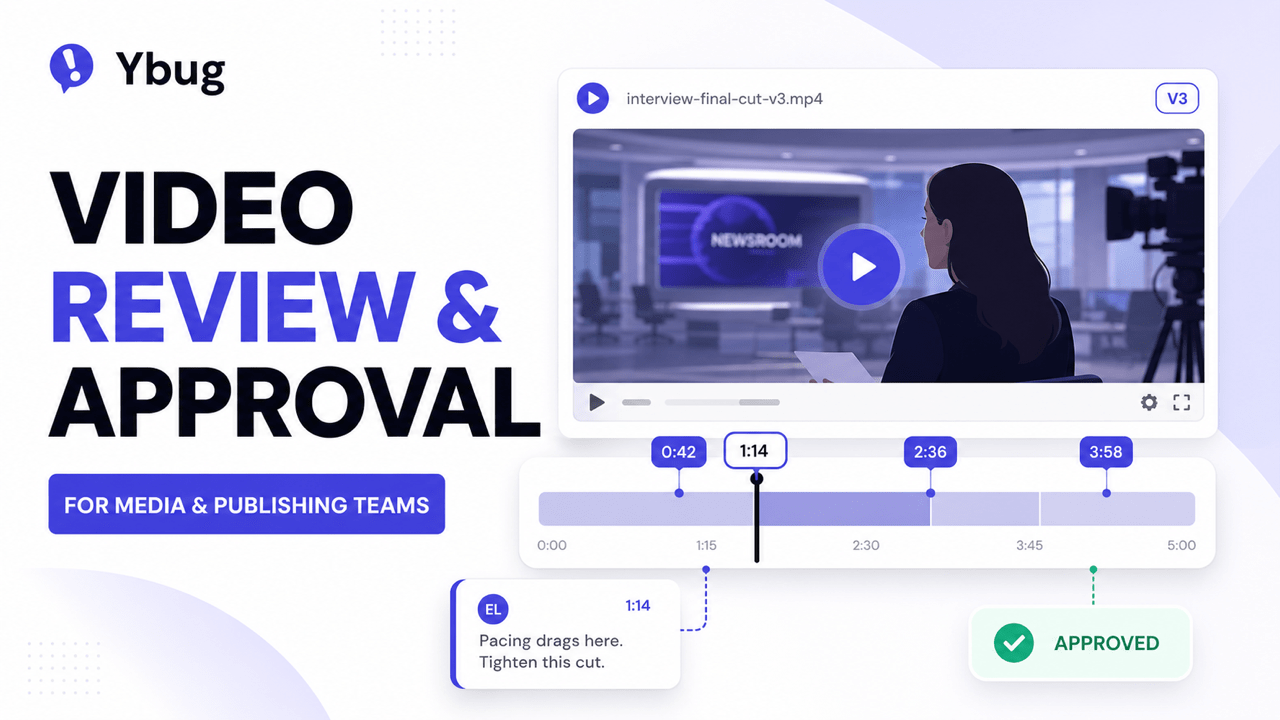
Video review and approval is the process of collecting structured, timestamped feedback on video content and securing formal sign-off from the right stakeholders before publishing, and its main advantage is that it prevents costly late-stage rework and missed publish dates.
Without that structure, video review runs through email attachments, drive links and verbal notes. None of those channels carry a timestamp, so feedback arrives with no reference to the exact moment it describes, and somebody has to reconstruct that reference before an editor can act on it.
Key takeaways
- Video review and approval requires timestamps. Feedback pinned to an exact moment is the only kind editors can act on immediately, without a round of follow-up clarification.
- A structured review process has four stages: rough cut, fine cut, color and audio, and final approval. Skipping stages creates late-stage rework.
- Different stakeholders review for different purposes. Editorial for story, legal for rights, brand for tone and identity. The sequence matters.
- A documented approval record protects the team. Every sign-off should capture who approved which version, and when. “I never approved that” disputes end where records begin.
- Website delivery issues are a separate problem. Broken embeds, caption sync failures and player errors have nothing to do with content approval and need their own feedback channel.
Why does video review break down at scale?
The feedback problem: no timestamps. “The pacing feels slow in the middle” is vague. “The pacing drags between 1:14 and 1:40” is actionable, but only if the reviewer can attach feedback to an exact moment, which email and verbal notes do not allow. This is not a niche complaint: in the In-House Creative Management Report, 36% of creatives said the feedback they receive is not clear and actionable, and 61% reported that approvals take three to five rounds of review.
The version problem: sprawl. Without clear version tracking, feedback from an earlier cut gets applied to a later one, and nobody is sure what the “current” state actually is.
The stakeholder problem: mixed concerns. Editorial cares about story, legal about rights, brand about tone. Treating all feedback the same blurs the line between a must-fix and a preference.
The deadline problem: feedback arrives late. Often the bottleneck is not the editor, it is the reviewer. Notes trickling in after a round has closed force editors to reopen finished work and push the publish date.
What are the stages of video review and approval?
A structured process has four review checkpoints, each with a different purpose:
| Stage | What is reviewed | Who reviews |
|---|---|---|
| Rough cut | Story structure, pacing, narrative flow | Editorial lead, producer |
| Fine cut | Refined edit, graphics placeholders, draft voiceover | Editorial lead, brand or creative director |
| Color and audio | Final visual grade, mixed audio, final captions | Post-production lead, QA |
| Final approval | Complete piece, compliance check, publish-ready | Legal (if applicable), final sign-off authority |
Skipping stages is the most common cause of late-stage rework. Structural issues caught in a rough cut take minutes to fix. Caught at final approval, the same issues can mean re-editing footage that has already been graded and mixed.
What does a video review workflow look like in practice?
Take a publishing team producing a five-minute interview for its website and social channels. Each round has one purpose and one set of reviewers:
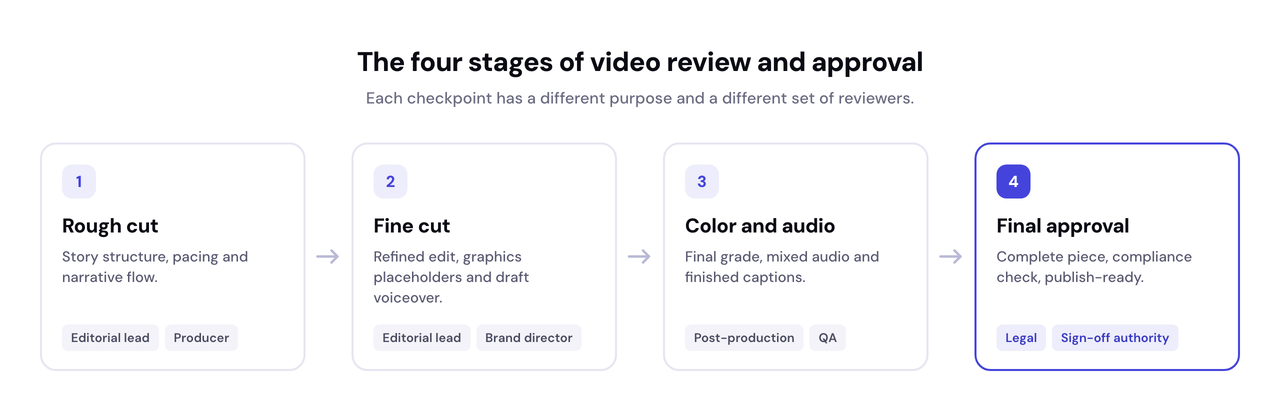
- Rough cut: editorial reviews the story structure and pacing.
- Fine cut: the brand team checks graphics, intros and visual consistency.
- Color and audio: QA verifies captions, sound levels and visual quality.
- Final approval: legal confirms music licensing and usage rights before publication.
Each review lands at the right stage, so nothing gets re-edited after grading and mixing.
What should you look for in online video review and approval software?
Choosing the right video review and approval software is about more than collecting comments. The difference against an email-based process is structural:
| Email-based review | Review and approval software |
|---|---|
| No timestamps, feedback describes moments in words | Comments pinned to exact frames |
| Attachments and drive links, version confusion | One current version, full version history |
| Feedback scattered across threads and channels | All feedback in one place, threaded |
| Approval buried in a reply | Formal approval log with reviewer, version and date |
Timestamped, frame-accurate comments
Non-negotiable. Reviewers pin feedback to an exact moment, and the tool scrubs back to that frame when the editor works through the comment list.
Version comparison and history
Seeing what changed between V2 and V3, and confirming that V2 feedback was addressed, prevents the most common source of review confusion.
A formal approve action that creates a record
An explicit approve step that logs the reviewer, the version and the date, not a “looks good” buried in a thread.
Support for multiple aspect ratios and formats
Teams publishing widescreen, vertical and square versions need a tool that handles all formats without a separate download for each one.
Threaded discussion on individual comments
Threaded replies on a timestamped comment keep the clarifying back-and-forth contained and traceable.
Guest access for external reviewers
Legal counsel, brand partners and freelancers should not need to create accounts just to leave one round of notes.
Editing software integration
Dedicated video review platforms can push timestamped comments straight into tools such as Premiere Pro. If your editors live in an NLE, ask about this before committing.
Secure sharing for unreleased content
Password-protected and expiring links keep an embargoed cut from circulating beyond the intended reviewers.
The pattern I keep seeing is an editor with a notepad next to the keyboard, translating vague email feedback into timestamps before any of it can be acted on. The feedback exists, but someone still has to decode it first. That decoding step is the thing worth designing away.
How should you structure feedback for video review?
Always include a timestamp. Every piece of feedback should reference an exact moment: “0:42”, not “around the middle”.
Distinguish must-fix from preference. Tag comments by severity so editors know what blocks publishing and what does not:
| Priority | Meaning |
|---|---|
| Critical | Must fix: factual error, rights issue, compliance |
| High | Fix before publish: visible quality problem |
| Medium | Improvement: apply if time allows |
| Low | Note for a future version |
Appoint one feedback owner per round. One person consolidates notes and arbitrates conflicts before they reach the editor. Contradictory feedback from a client and a creative team is not the editor’s problem to referee.
Batch feedback per review round rather than as a continuous trickle. A single consolidated round is far easier for an editor to work through systematically.
Set a feedback deadline for every round. A clear cutoff with automated reminders, treated as a hard stop: late feedback waits for the next round. A common pattern is 24 hours for editorial, 48 for brand and 72 for legal. For remote teams spread across time zones, this async structure replaces approval meetings entirely.
Be specific about the desired outcome, not just the problem. “This transition feels abrupt” tells an editor something is wrong. “Extend the cross-dissolve to 1 second” gives them a clear action.
What are the most common video review mistakes?
The mistakes we see most often in production teams:
- Reviewing the wrong version. Feedback becomes unusable when reviewers comment on outdated exports instead of the latest cut.
- Giving feedback without timestamps. Comments like “the middle feels slow” force editors to guess where the issue starts.
- Mixing editorial and technical issues. A story problem belongs in the review process. A broken video player belongs in the website feedback process.
- Inviting everyone into every review. Different stakeholders should review different stages instead of commenting on everything simultaneously.
- Treating approval as a single event. Effective approval happens in stages, not in one final review meeting.
If several of these sound familiar, the fastest fix is a tool that pins every comment to the exact moment it refers to.
Once the video is live, Ybug covers the other half: broken embeds, caption failures and player errors reported straight from the page, with browser, OS and console data attached automatically.
(no credit card needed)
In what order should editorial, legal, and brand review happen?
The sequencing matters. Legal review before editorial is finalized wastes legal’s time on content that will change. Brand review after legal sign-off risks changes that need re-clearing.
The right sequence for most media and publishing teams:
- Editorial first: story accuracy, narrative pacing, factual correctness. Structural and factual changes are cheapest to make early.
- Brand and creative in parallel with later editorial stages: visual identity and tone rarely require structural changes.
- Legal closer to final lock: once content is stable enough that legal is not reviewing something likely to change again. For video this typically covers music licensing and usage rights, and the U.S. Copyright Office is the reference source for what using someone else’s recording or composition legally requires.
For publishing teams that already run a content approval workflow for written content, video follows the same logic: separate stages, defined owners, documented sign-off. Smartsheet’s overview of approval workflows shows the same staged logic applied across content types.
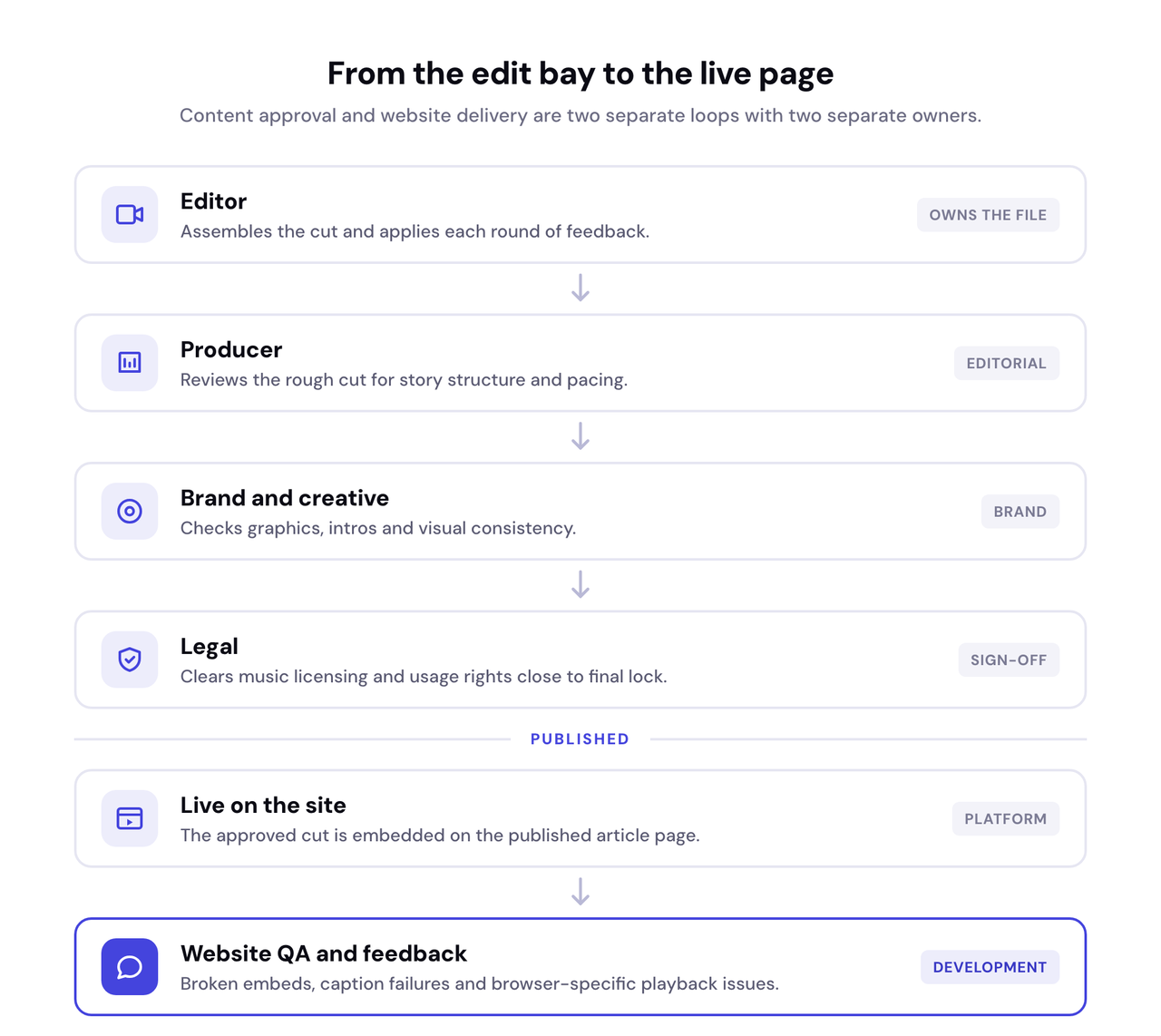
Different types of feedback belong to different reviewers. The table below shows who should handle each type of issue:
| If the issue is… | It belongs to… |
|---|---|
| Story structure or pacing | Editorial review |
| Brand consistency or visuals | Brand review |
| Copyright, permissions or compliance | Legal review |
| Caption timing or subtitle quality | Video review |
| Broken video player or embed | Website feedback and QA |
| Browser-specific playback issues | Website QA and development |
Why do you need a documented approval record?
Sooner or later, someone asks: “Who approved this version?” For media and publishing teams that question can carry legal weight. Rights, licensing, embargoes and corrections all depend on knowing exactly what was signed off, by whom, and when.
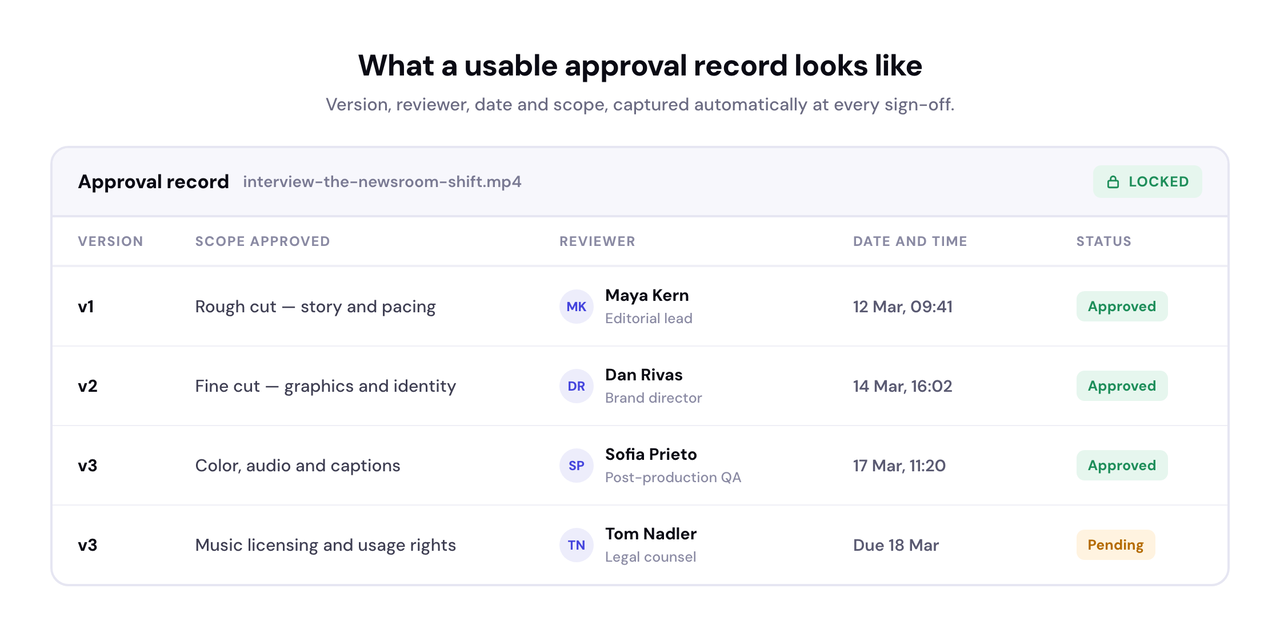
A useful approval record captures four things: the version number, the reviewer’s name, the date, and the scope of what was approved. Email threads make poor records because the approved version is rarely named explicitly. A formal approve action creates the record automatically, and ends “I never approved that” disputes before they start.
How does video review connect to your published platform?
Once a video is approved, publishing introduces a new category of issue: does the video actually work correctly on the live platform? Playback issues, caption sync problems and embed failures have nothing to do with the edit and everything to do with how the website delivers it. Caption timing is also an accessibility requirement, and the W3C caption guidance is the reference standard for getting it right.
This is where a visual feedback tool on the live site complements video review rather than replacing it. Anyone on the team can report a broken embed, a caption that never loads or a player failing in one browser, and the report arrives with the technical context already captured and routed to developers via integrations.
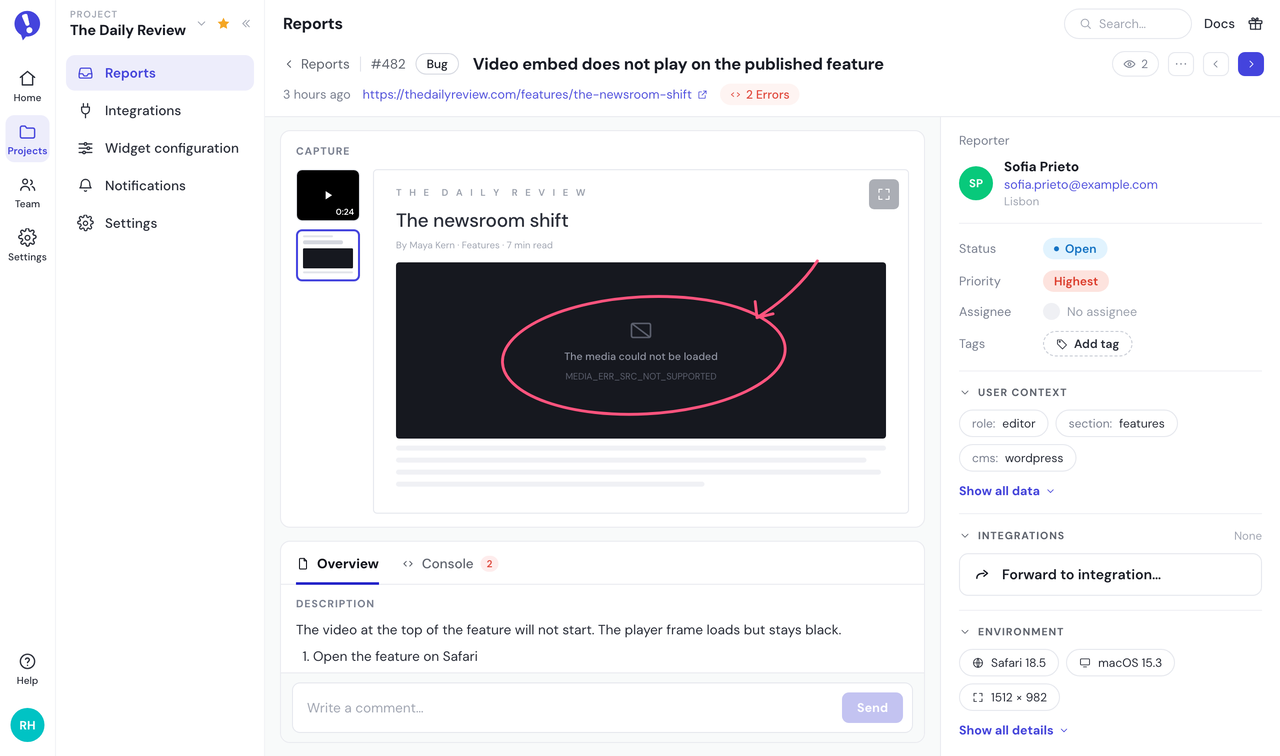
We see this pattern repeatedly with teams using our feedback tool for media and publishing: the reports that save the most debugging time are the ones where browser, OS and console data arrive attached automatically, because “the video does not play” on its own is as vague as “the middle feels slow”.
These are two distinct problems requiring two distinct tools: one for whether the content itself is right, and one for whether the platform delivering it is working correctly. For a broader look at how digital teams handle website-side issues, see how to annotate a website.
How is AI changing video review workflows?
AI now handles a growing share of production work: automated captions, transcription, translation and clipping for social formats. This speeds up creation, but it does not shrink review, it shifts it. Every AI-generated caption file, translation and clip variant still needs a human check before publishing, and because AI produces more variants faster, teams end up reviewing more assets, not fewer. Caption QA becomes a defined review step rather than an afterthought.
How do you know your review process is working?
Track a few numbers per video: average time from first cut to final approval, number of review rounds, overdue reviews, and first-time approval rate. If rounds creep up, the bottleneck is usually identifiable, whether that is a reviewer missing deadlines or a stage where conflicting feedback is never consolidated.
How do you build a scalable video review and approval process?
The fastest publishing teams are not the ones that skip reviews, they are the ones that make reviews predictable. A structured approval workflow with timestamped comments, version tracking, feedback deadlines and clearly defined reviewers reduces unnecessary revisions while helping teams publish faster.
Before publishing, run a final checklist:
| Video approval checklist | Owner |
|---|---|
| Story and pacing approved | Editorial |
| Graphics and visual identity approved | Brand |
| Music licensed, rights cleared | Legal |
| Captions checked for accuracy and timing | QA |
| Color and audio approved | Post-production |
| Export settings verified per platform | Post-production |
| Final publish sign-off recorded | Approval authority |
Once videos go live, website feedback tools complement the approval process by capturing the playback issues, broken embeds and browser-specific problems that only appear after publication.
Give your editors, producers and QA reviewers one place to report anything broken on the published page, with an annotated screenshot and full technical context in every report.
(no credit card needed)


![Best proofing software for designers and web teams [2026]](https://ybug.io/images/blog/featured/best-proofing-software.avif)