Content approval workflow: a practical guide for creative and web teams

What’s in this article
- Key takeaways
- What is a content approval workflow?
- Why does the review and approval process break down?
- How do you build a content approval workflow step by step?
- How does a content approval workflow work for websites and digital assets?
- What does a social media approval process look like?
- What should you look for in content approval software?
- What are the best practices for content approval workflows?
- FAQ
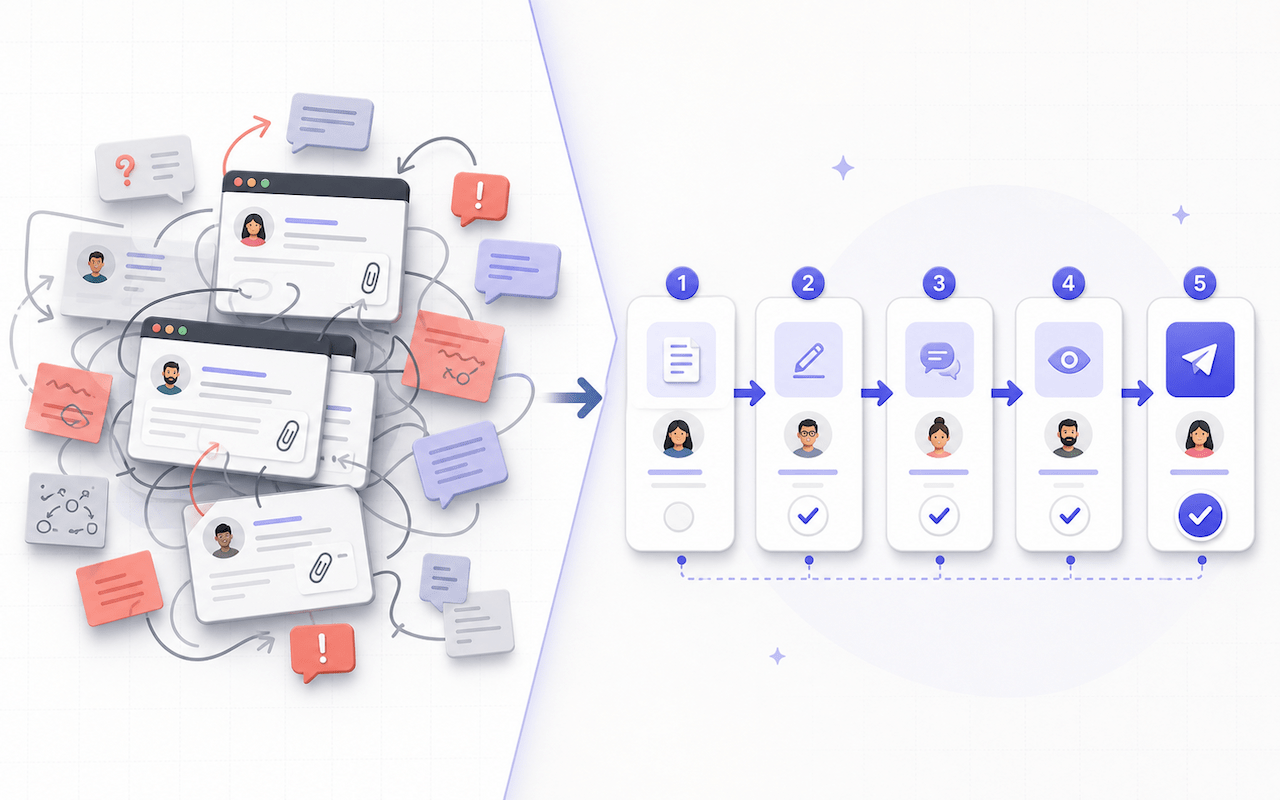
A content approval workflow is a structured process that defines who reviews each piece of content, in what order, and what needs to happen before it is published or delivered. It replaces ad-hoc feedback — emails arriving at different times, conflicting comments, and version confusion — with a predictable, repeatable path from draft to done.
Key takeaways
- One final approver per piece of content is the single most impactful rule. Approval by committee produces the slowest, most compromised output.
- Feedback belongs directly on the content. For websites, that means reviewing the staging environment and annotating a captured screenshot of the page, not describing changes in a separate document.
- Every review stage needs entry criteria, exit criteria, and a deadline. Without these, content either moves forward prematurely or gets stuck.
- A clear review and approval process reduces revision rounds by catching misalignment earlier, ideally at the brief stage rather than during the third round of edits.
- The right content approval software centralizes feedback, captures context, and routes resolved items to the people who need to act.
What is a content approval workflow?
A content approval workflow is the documented sequence of steps content goes through — from creation to publication — including who reviews it, what feedback they give, how revisions are handled, and who gives final sign-off.
It answers four core questions:
- Who needs to review this content?
- What are they looking for at each stage?
- When does each review happen in the production cycle?
- How is feedback collected, consolidated, and acted on?
The workflow applies to website copy, landing pages, blog posts, social media posts, email campaigns, design assets, video scripts, and digital ads. The same logic also applies to the document approval process: contracts, proposals, and policy documents benefit from the same staged review structure. The stages differ by content type, but the underlying structure is the same.
A Canto and Ascend2 study summarized by MarketingProfs found that only 21% of content professionals described their organization’s workflows as very efficient, while just 24% said their approval workflows were extensively organized and managed. Some 45% reported inefficiencies or wasted time caused by workflow-related challenges.
Why does the review and approval process break down?
Most teams have an informal review process; they just do not have a documented one. That gap is where the problems live.
Unclear ownership. When everyone can give feedback, nobody is accountable for the final decision. Multiple stakeholders feel empowered to request changes at any stage, including at the last minute.
Feedback scattered across channels. Comments arrive through email, Slack, Google Docs, WhatsApp, and verbal conversations in meetings. Consolidating everything into actionable revisions is manual, slow, and error-prone.
Too many rounds of review. When feedback is not structured, and the brief was not clear enough at the start, revision cycles multiply. Each round introduces new feedback instead of resolving the outstanding issues from the previous one.
Version confusion. “Is this the final version?” is a question no team should need to ask. Without version control built into the workflow, designers and developers can work on outdated files while reviews continue elsewhere.
The wrong people reviewing at the wrong time. Legal reviewing copy before it is finalized, or an executive reopening design details approved two stages earlier, wastes time and sends work backward unnecessarily.
Resistance to a new process. Teams can resist a structured workflow when they have worked informally for years. Adobe notes that creative professionals spend roughly 70% of their time on tasks such as managing files, tracking feedback, and following up rather than meaningful creative work. Clear documentation, a short onboarding walkthrough, and visible results overcome resistance more effectively than adding process for its own sake.
How do you build a content approval workflow step by step?
Step 1: Map your current process
Before designing an ideal workflow, document what actually happens today. Walk through the last three projects and note who touched the content, when, in what order, what feedback they gave, how many revision rounds occurred, and where delays appeared.
This reveals the real bottlenecks, which are often different from the ones teams assume they have.
Step 2: Define roles and approval stages
Every approval workflow needs clearly defined roles:

| Role | Responsibility |
|---|---|
| Content creator | Produces the draft to the agreed brief and specification. |
| Internal reviewer | Checks quality, accuracy, and brand alignment without acting as the final decision-maker. |
| Subject matter expert | Verifies factual accuracy for technical or regulated content. |
| Legal or compliance | Reviews regulatory and legal requirements where applicable. |
| Final approver | Has authority to approve or reject the content: one person, not a committee. |
| Publisher | Executes the go-live after approval is confirmed. |
The most important principle is one final approver per piece of content. Approval by committee produces the slowest, most compromised content. Designate a single decision-maker at each approval stage.
Step 3: Set clear entry and exit criteria
Every stage in the workflow should have:
- Entry criteria: what must be true before the stage begins, such as an approved brief, final copy, or a design based on approved brand guidelines.
- Exit criteria: what must be true before content moves to the next stage, such as all required feedback addressed, legal sign-off obtained, and no open must-fix comments.
Without these criteria, content moves forward prematurely or gets stuck while reviewers wait for unclear inputs.
Step 4: Establish feedback standards
Vague feedback is the enemy of fast content. “This does not feel right” requires another conversation. “The second paragraph overpromises; revise it to align with the product specification on page 4” is actionable immediately.
Set a standard for how feedback should be given:
- Specific: reference the exact element or line.
- Directive: explain what should change, not only what is wrong.
- Prioritized: distinguish must-fix issues from optional suggestions.
- Contextual: explain why the change matters, especially for design feedback.
For visual content and web pages, contextual feedback is easiest to understand when it is attached to a captured view of the asset. Learn how teams can annotate a website during review without writing long descriptions of where a problem appears.
Step 5: Choose a feedback channel
The feedback channel is where the workflow either works or falls apart. The ideal channel:
- Puts feedback in the context of the content instead of a separate document.
- Captures relevant context automatically, such as the URL, browser, device, and viewport for web pages.
- Creates a clear record of what was requested and when.
- Routes resolved feedback to whoever needs to act on it.
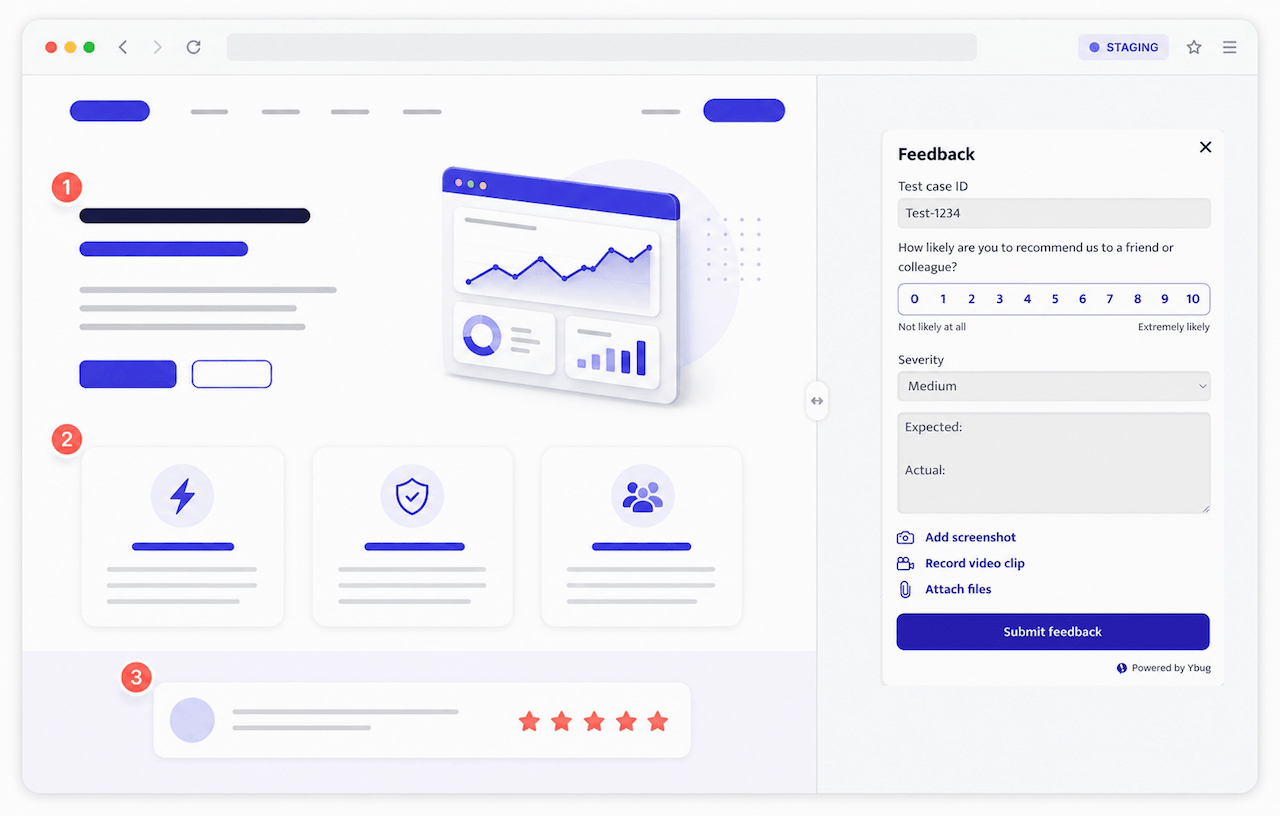
For website content and digital assets under review, a visual feedback tool installed on the staging or review environment is an efficient approach. With Ybug, reviewers capture a screenshot of the page, add annotations to that screenshot, and submit the feedback with technical context. Reports can then be routed to the relevant team member or project management tool through integrations.
Step 6: Set deadlines and escalation rules
Open-ended review windows are a common cause of approval delays. Every stage needs a deadline:
- “Please review by Thursday at 3 p.m.” is better than “whenever you have a chance.”
- State what happens next: “If no feedback is received by the deadline, the content moves to the next stage.”
- Keep review windows short: 24 to 48 hours for most content, with more time for complex legal or compliance reviews.
Automated reminders and escalation rules can keep the process moving without repeated manual follow-ups. If a reviewer misses the window, the workflow can notify a backup approver or flag the item for the project owner.
Step 7: Document and repeat
Once the workflow is defined, document it clearly. A one-page summary is enough for many teams, as long as everyone involved can find it. Atlassian’s content approval workflow guide recommends identifying each stage and assigning responsible stakeholders before adding tool-specific steps. Start with the simplest structure that covers your risk, then add complexity only when it solves a recurring problem.
Review the workflow quarterly. As team composition, content volume, and regulatory needs change, the process needs to adapt.
How does a content approval workflow work for websites and digital assets?
Website content has specific requirements that generic approval workflows do not always account for.
Multi-format review. A webpage is not just copy. It combines copy, design, imagery, responsive behavior, and functionality. Feedback on one element often affects another. A request to shorten a paragraph may be a response to how the page renders at a specific viewport width rather than to the writing itself.
Staging environment reviews. Website content should be reviewed in its final context: the staging environment, not only in a Word document or static mockup. What looks clean in a document can create layout problems at specific screen sizes, while a browser review also reveals broken links, interactions, and responsive issues.
Coordinate content approval with QA testing so technical testing is not repeatedly invalidated by ongoing content and layout changes. Define which issues belong to editorial review, which belong to QA, and what must be stable before each pass starts.
Technical feedback alongside editorial feedback. Website reviews surface both content issues, such as an inaccurate headline, and technical issues, such as a button that does not work on mobile. A single feedback channel that captures both, including browser and device context, prevents issues from being split across unrelated tools and communication threads.
The fastest approval cycles we have seen are the ones where the writer, designer, developer, and client review the same staging page, with feedback going into the same system. A staging URL with a feedback widget gives everyone one shared source of truth.
Collect visual feedback on staging with annotated screenshots and technical context attached to every report.
(no credit card needed)
What does a social media approval process look like?
The social media approval process has the same core structure as any content approval workflow, with a few specific differences.
Speed matters more. Social content often has a short window of relevance. Review cycles need to be faster, ideally 24 hours or less for standard posts. For time-sensitive content, a pre-approved template framework can preserve quality without requiring a full review every time.
Platform-specific review. Content that reads well in a document may be too long for one platform, break an image aspect ratio, or lose important formatting. Review social content in its actual platform context, either as a rendered preview in a scheduling tool or as a final export.
Compliance considerations. In regulated industries such as finance, healthcare, and pharmaceuticals, social content can require legal or compliance sign-off. Build this into the workflow as a mandatory stage with a defined deadline rather than an ad-hoc check.
One approver, not a committee. Designate one person with final authority to approve social posts. A marketing lead, social media manager, or brand manager can fill this role. Multiple reviewers may contribute specialist feedback, but the final decision should have one owner.
What should you look for in content approval software?
The right content approval software depends on the type of content you approve and the number of people involved.
| Content type | Best tool category |
|---|---|
| Websites and web apps | Visual feedback widget on staging, such as Ybug. |
| Design files, PDFs, and images | Design approval software, such as Ziflow or PageProof. |
| Written content | Document collaboration, such as Google Docs or Notion. |
| Video content | Video annotation software, such as Frame.io. |
| Social media posts | Social scheduling with approval flows, such as Planable or Hootsuite. |
For web teams, the highest-value tool often covers the staging review phase, where copy, design, and functionality are reviewed together on a live URL. Compare the best website feedback tools to find an option that captures annotations, browser context, and technical data while routing reports to your project management system.
Freelancers and agencies can start free and add Ybug to a staging site before the next client review.
For creative files, design approval software centralizes markup and version comparison. For a document approval process covering contracts, proposals, or compliance documents, structured comments in a document collaboration tool handle many scenarios, while larger organizations may need dedicated workflow automation and audit controls.
What are the best practices for content approval workflows?
Start with a clear brief. Many revision cycles happen because the brief was unclear, not because the content was poor. A brief with a target audience, key messages, tone of voice, and explicit success criteria reduces feedback rounds at every later stage.
Separate feedback from approval. Feedback is input; approval is a decision. Collect feedback within a defined window, consolidate it, complete the revisions, and then ask the approver for a final decision.
Do not skip stages under deadline pressure. Post-publication corrections often trace back to a review stage that was skipped because the deadline was tight. Build realistic timelines that include review time and define which stages are mandatory.
Archive approvals. Keep a record of who approved what and when. For regulated content, this can be a compliance requirement. For all content, it provides an audit trail when questions arise after publication.
Design for remote and hybrid teams. When reviewers work across time zones, async-first feedback is essential. Choose a workflow where feedback is written, timestamped, and visible to all stakeholders regardless of when they log in.
Review the workflow quarterly. As team size, content volume, and tools change, the workflow needs to adapt. A quarterly review of delays and workarounds keeps the documented process aligned with how the team actually works.
Replace scattered website review comments with one visual feedback channel on your staging environment.
(no credit card needed)


![Best proofing software for designers and web teams [2026]](https://ybug.io/images/blog/featured/best-proofing-software.avif)
