How to write steps to reproduce a bug (with examples)

What’s in this article
- Key takeaways
- Why are steps to reproduce so important?
- What should steps to reproduce a bug include?
- How do you write steps to reproduce, step by step?
- What do good steps to reproduce bug reports look like?
- What are the most common mistakes in steps to reproduce?
- What if you can’t reproduce the bug every time?
- How does each role use steps to reproduce?
- Is there a steps to reproduce template you can copy?
- How do you get reproduction steps from non-technical reporters?
- FAQ
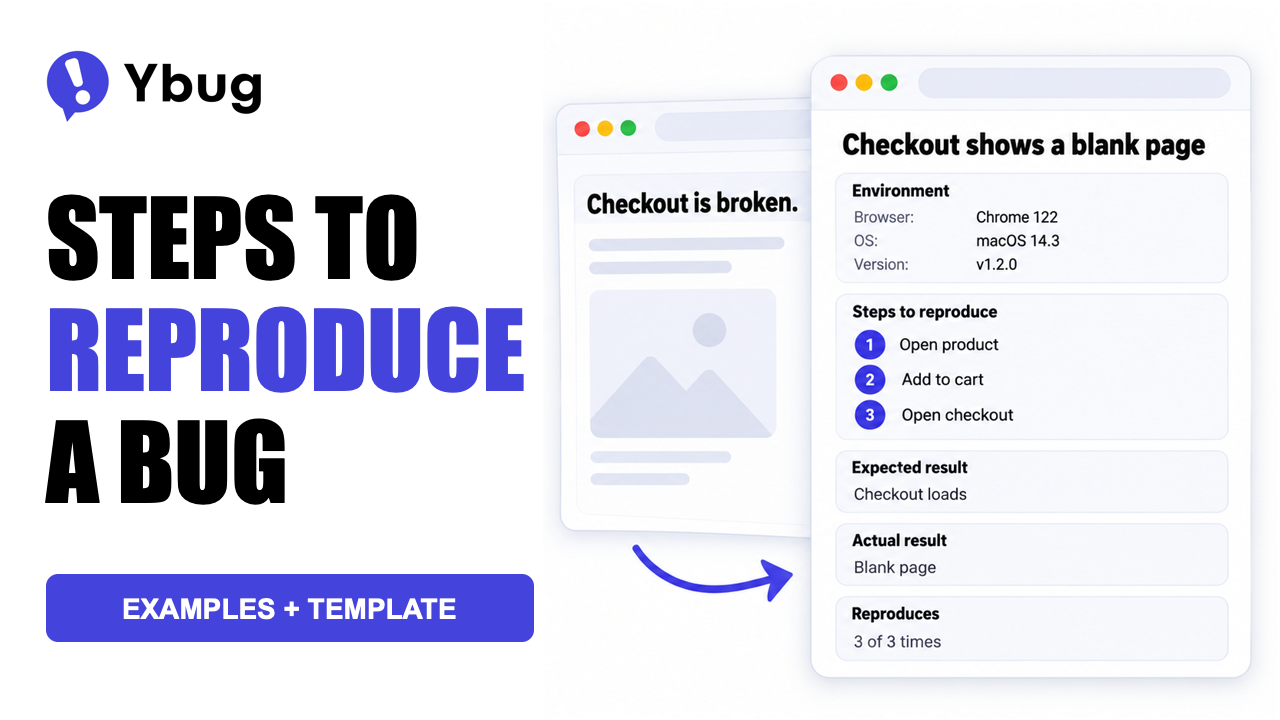
Steps to reproduce are the numbered actions in a bug report that let a developer trigger the bug on their own machine, and their main advantage is that they turn a vague complaint into a problem the developer can confirm, fix and verify.
Key takeaways
- Good steps to reproduce have five parts: a starting state (environment, account and data), numbered actions, the expected result, the actual result, and how often the bug happens.
- Write for a stranger. A developer who wasn’t there when the bug appeared should be able to follow your steps and watch it happen, with no extra context.
- One action per step, as few steps as possible. “Go to checkout” is too vague; “Click the cart icon in the header” followed by “Click Proceed to checkout” leaves no room for guessing.
- Developers rate steps to reproduce as the most helpful part of a bug report, and errors in them as one of the most severe problems, according to a survey of Apache, Eclipse and Mozilla developers published in 2008.
- Let a tool capture the technical context (browser, OS, URL, console logs), so reporters only describe what they did and what they saw.
Why are steps to reproduce so important?
A bug report without steps to reproduce is a complaint. A bug report with clear steps is an assignment: the developer follows the steps, sees the bug, fixes the code, runs the same steps again to confirm the fix, and closes the ticket.
Mozilla’s Bug Writing Guidelines call steps to reproduce the most important part of any bug report, because a bug that a developer can reproduce is very likely to get fixed. Research points the same way. In a survey of Apache, Eclipse and Mozilla developers, published as What makes a good bug report? (Bettenburg et al., FSE 2008), 83% of developers who relied on steps to reproduce counted them among the three most helpful parts of a report, the highest score of any item. The same developers named errors in steps to reproduce and incomplete information as the most severe problems they ran into.
Without steps, every part of that workflow turns into guesswork. Tickets bounce back as “can’t reproduce”, testers get pinged a week later, and fixes get reopened because nobody can verify them. Steps to reproduce are one field of a larger report; for the rest, see our guide on how to write a bug report.
What should steps to reproduce a bug include?
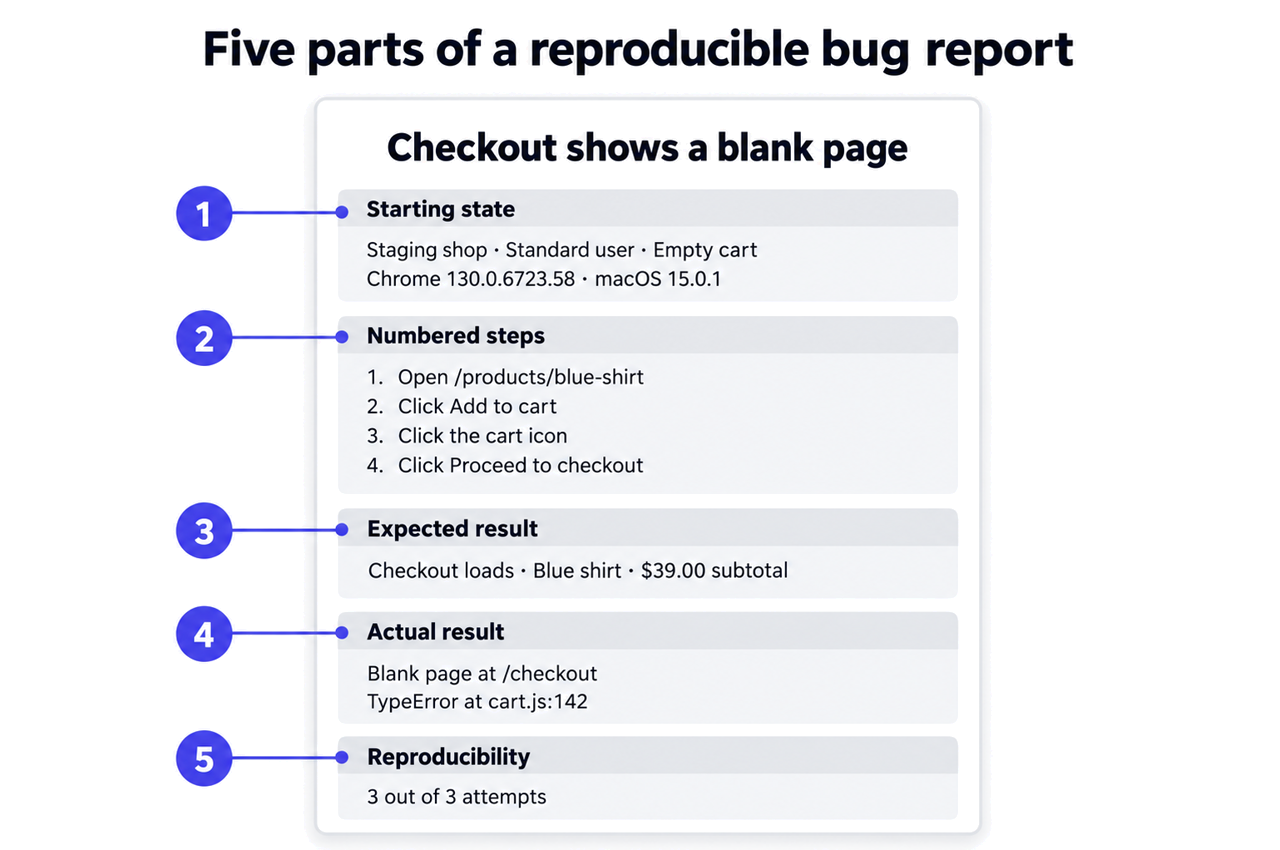
Every set of steps to reproduce needs five components. Leave one out and the developer usually has to come back with questions.
| Component | What it covers | Example |
|---|---|---|
| Starting state | Environment, account and data before step 1 | Staging site, logged in as a standard user, cart empty, Chrome 130 on macOS 15 |
| Numbered steps | One action per step, in order | 1. Open /products/blue-shirt 2. Click “Add to cart” 3. Click the cart icon 4. Click “Proceed to checkout” |
| Expected result | What should happen after the last step | Checkout page loads with the item and a $39.00 subtotal |
| Actual result | What happens instead, with exact error messages | Blank white page, console error TypeError at cart.js:142 |
| Reproducibility | How often the bug happens, and where | 3 out of 3 attempts, in Chrome and Firefox |
The starting state is the part people skip most often, and it’s usually the reason a bug “works on my machine”. Note your user role, whether you were logged in, the test data you used (a specific product, coupon or account), and any feature flag or A/B variant you were part of. Browser and OS belong here too, with exact version numbers, not “latest”.
Keep conditions and actions apart. “Logged in as admin” is a condition, so it goes in the starting state. “Click Settings” is an action, so it goes in the numbered steps. That keeps every step short and easy to follow.
How do you write steps to reproduce, step by step?
Learning how to reproduce a bug yourself is the first step to describing it well. Here’s a 6-step routine that works for testers, project managers and developers alike:
- Reproduce it once more. Retrace what you did right before the bug appeared. If it doesn’t happen again, write that down.
- Rule out your own setup when in doubt. If the bug might depend on your browser, try a private window or a fresh profile with extensions turned off. Mozilla asks Firefox reporters to check whether the bug also happens in a new profile, because settings and extensions can cause problems that look like application bugs.
- Write one action per step. Use the exact labels you see on screen: Click “Save draft”, not save it.
- Cut everything that isn’t needed. The Bugzilla documentation asks for the minimum set of steps required to reproduce the problem. Fewer steps leave fewer places for the reader to go wrong.
- Follow your own steps exactly as written. If you have to do anything that isn’t on the list, add it.
- Add proof. Attach a screenshot or a short recording of the bug, and copy any error message as text.
On a team, step 5 works even better when someone else follows your steps. A colleague without your context spots the gaps right away.
What do good steps to reproduce bug reports look like?
These bug reproduction steps examples show each bug twice: the way it usually arrives and the way a developer needs it. Browser and OS versions below are illustrative; record the exact versions you tested.
Example 1: E-commerce checkout
Bad:
“Checkout doesn’t work. When I try to buy something it goes to a white page. Please fix.”
Good:
Environment: staging.shop.example, Chrome 130.0.6723.58, macOS 15.0.1, logged in as [email protected], cart empty
Steps:
- Open staging.shop.example/products/blue-shirt
- Click “Add to cart”
- Click the cart icon in the top navigation
- Click “Proceed to checkout”
Expected: The checkout page loads with the blue shirt listed and a $39.00 subtotal.
Actual: A blank white page appears. The URL shows /checkout, but no content renders. Console error: TypeError: Cannot read properties of undefined (reading 'items') at cart.js:142
Reproducibility: 3 out of 3 attempts
The good version gives the developer a URL to open, an account to log in with and an error that points to a specific line of code. That gives the developer a clear starting point and can save several rounds of follow-up questions.
Example 2: Contact form validation
Bad:
“The form doesn’t validate email addresses properly.”
Good:
Environment: example.com/contact, Firefox 132.0, Windows 11 (23H2), not logged in
Steps:
- Open example.com/contact
- Type “test@” in the Email field
- Type “Test User” in the Name field
- Type “Test message” in the Message field
- Click “Send message”
Expected: A validation error says “Please enter a valid email address.” The form doesn’t submit.
Actual: The form submits and shows “Thank you for your message.” No validation error appears.
Reproducibility: 3 out of 3 attempts in Firefox. Also reproducible in Chrome.
Checking a second browser takes a minute and adds useful context. If the bug shows up in both, the problem is most likely in the app’s own validation logic; if it appears in only one, the developer has a concrete difference to investigate.
For years, my first reply to almost every bug report was a question: which page, which browser, were you logged in? By the time the answer came back, the reporter often couldn’t remember what they’d clicked.
So my test is simple: could a developer who’s never seen the project follow your steps and watch the bug happen? If not, the report isn’t finished yet.
What are the most common mistakes in steps to reproduce?
Most bad steps to reproduce come from missing context, not missing effort. These six mistakes show up again and again:
- Skipping the starting state. “Click checkout” assumes the reader knows which page you’re on, which account you use and what’s in your cart.
- Describing the symptom instead of the path. “The button doesn’t work” says what’s wrong, not how to see it. “Click Submit on /contact” does.
- Combining several actions into one step. “Go to checkout and enter payment details” is at least two steps, and the bug could hide in either one.
- Leaving out the expected result. Without it, a developer can’t tell whether the behavior is a bug or just unfamiliar.
- Paraphrasing error messages. “Some error popped up” can’t be searched in the logs. The exact text can.
- Packing several bugs into one ticket. Each bug needs its own steps, or fixes get tangled and tickets never close.
Several of these gaps are technical details the reporter never thought to write down, and a tool can capture much of that for you.
See how Ybug captures the technical context automatically, so reporters can focus on what happened.
(no credit card needed)
What if you can’t reproduce the bug every time?
Report it anyway, and say so clearly. Intermittent bugs make bug reproduction harder, but a precise report still gives the developer something to work with. Mozilla’s guidelines make the same point: a bug you can’t reproduce on demand is only useful if you add information about when it happens.
Write down how often it happens, for example Intermittent: 2 out of 5 attempts. Then add every pattern you noticed. Did it happen on a slow connection, after a long session, on one specific device, or with one specific account? Note the exact time it happened too, so a developer can match it against server logs.
Some bugs don’t fit a neat list of clicks at all. When the result depends on timing, the order of events or how long the app has been open, numbered steps alone won’t capture it. If you suspect a slow network, retry with network throttling in your browser’s developer tools. Add a short screen recording, the exact time it happened and a plain description of the conditions, and keep the numbered steps for the parts you can repeat.
How does each role use steps to reproduce?
Everyone who touches a bug reads the steps with a different question in mind:
| Role | What they need from the steps | Practical tip |
|---|---|---|
| Developer | A direct path to the bug and a way to verify the fix | Ask for the exact error text and console output, not a description of it |
| QA tester | Repeatable steps they can reuse later | Save strong steps as regression test cases |
| Project manager | Enough clarity to triage without a meeting | Send back tickets that don’t have an expected and actual result |
| Customer support | A way to turn a customer’s story into a ticket | Ask what the customer clicked last, not what “broke” |
| Freelancer | A clear record for the client and the fix | Send clients a short template instead of a long email thread |
Is there a steps to reproduce template you can copy?
Yes. Paste this into your issue tracker, a shared doc or the description field of your bug form. If you need a complete report with title, severity and priority fields, start from our bug report template collection.
Environment:
Browser: [name and exact version]
Operating system: [name and exact version]
Device: [e.g., desktop, iPhone, Android phone]
URL: [exact page where the bug occurs]
Account and state: [e.g., logged in as admin, not logged in, cart with 2 items]
Steps to reproduce:
1. [First action: what to open, click or type]
2. [Next action]
3. [Continue until the bug appears]
Expected result: [What should happen after the last step]
Actual result: [What happens instead, with error messages copied exactly]
Reproducibility: [Always / X out of Y attempts / only under specific conditions]
Attachments: [Screenshot, screen recording, console output]
Before you share a report, check it for sensitive data. Use test accounts where you can, and remove passwords, access tokens and real customer details from steps, screenshots and logs.
How do you get reproduction steps from non-technical reporters?
Clients, stakeholders and end users rarely send good reproduction steps. They just don’t know what a developer needs. The most reliable fix is to stop asking them for technical details at all.
That’s the idea behind visual bug reporting. We built Ybug to get rid of the follow-up questions that come after “the site is broken”. With the Ybug widget, a bug report tool on your website or staging site, a reporter clicks a button, marks the problem on a screenshot and describes what happened. Ybug adds the browser, OS, screen size and page URL to the report automatically. Depending on your plan, its console logs capture also records JavaScript errors and console output from the moment the Ybug script loads, along with the page’s network requests.
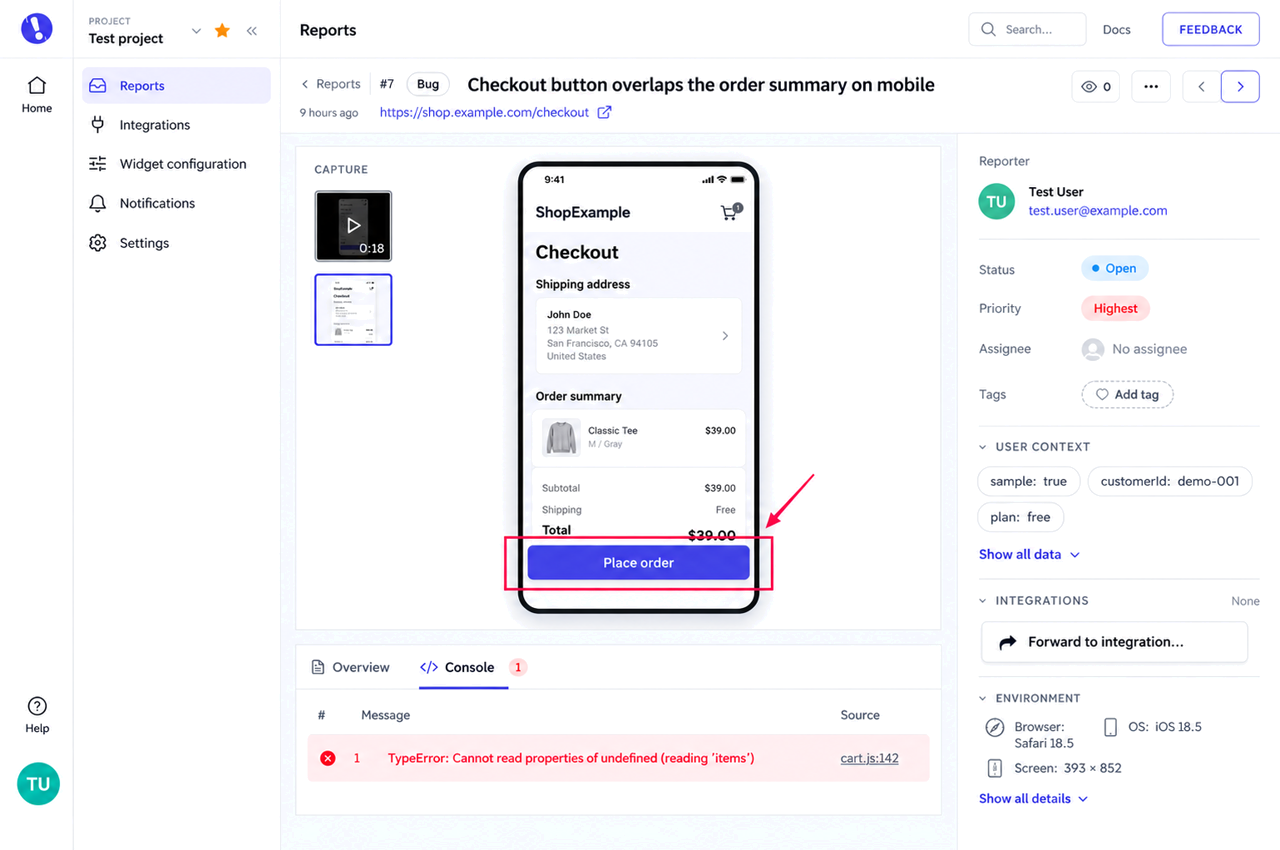
On paid plans, logged-in apps can also pass custom metadata such as a user ID, build number or feature flag through the JavaScript API. That fills in the starting state, the part reporters forget most. When the order of clicks matters, a screen recording shows the exact path, on plans that include it.
Reports flow into your bug reporting workflow, and through integrations you can send them to Jira, GitHub, Trello, Asana, ClickUp and other tools your team already uses. The reporter describes the issue in plain language, and the report adds the technical context a developer would otherwise have to ask for.