How to collect user feedback and turn it into useful analysis

What’s in this article
- Key takeaways
- Why is most user feedback not actionable?
- What are the main types of user feedback?
- How do you collect user feedback from websites?
- How do you collect user feedback for SaaS products?
- What feedback collection tools should you use?
- How do you analyze user feedback and build feedback analytics?
- When should you act on user feedback, and when should you ignore it?
- How do you close the feedback loop with users?
- FAQ
User feedback analysis is the process of systematically collecting, organizing, and prioritizing input from users to extract actionable insights that improve your product, website, or service. Its main advantage is that it replaces guesswork with evidence: you build what users actually need, not what you assume they want.
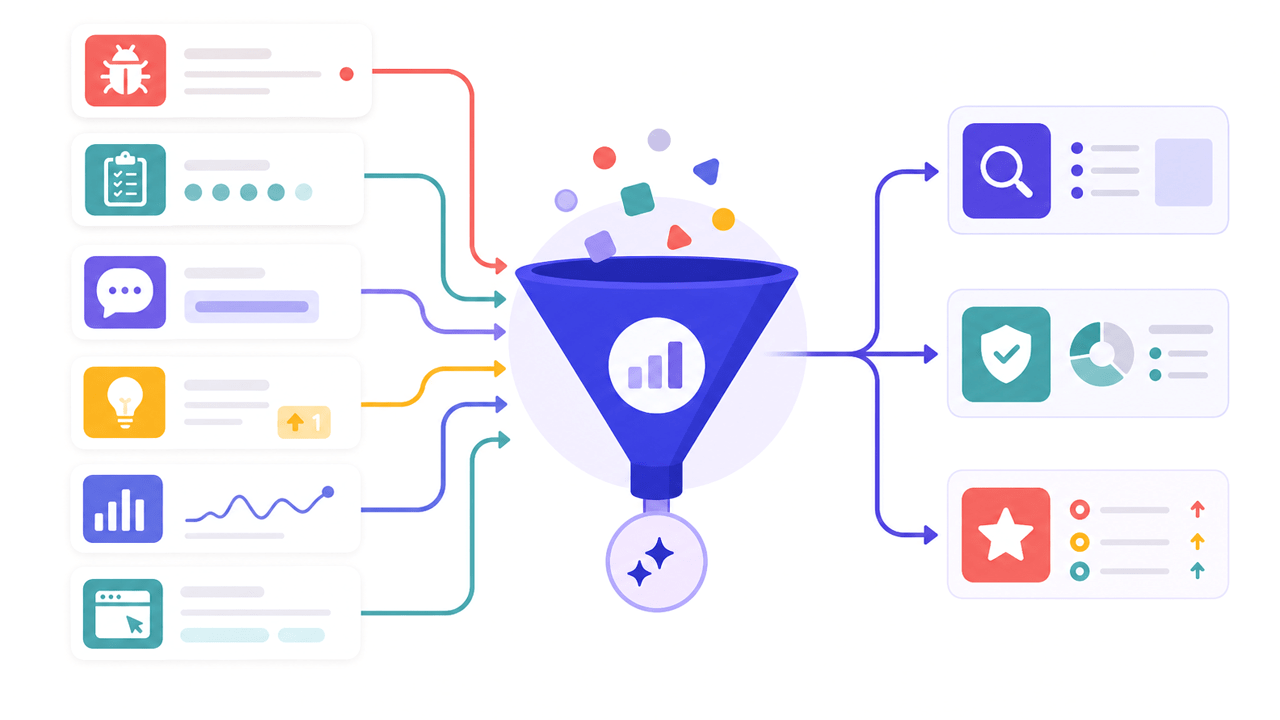
But collecting user feedback that is actually useful is harder than it sounds. Most teams collect user feedback inconsistently, from too narrow a group, too late in the product lifecycle, or in formats that produce impressions rather than actionable information. This guide covers how to collect user feedback that drives real decisions: what types to prioritize, when to ask, which methods work, how to analyze what you receive, and when to ignore it.
Key takeaways
- The biggest feedback mistake is not collecting too little; it is collecting the wrong kind. Vague sentiment data without context cannot be assigned to a developer or designer.
- Feedback timing matters more than feedback volume. A user feedback survey triggered after a specific action generates significantly higher response rates than a generic email blast.
- Combine quantitative signals, such as NPS, CSAT, and behavioral data, with qualitative input, such as bug reports and open-ended feedback. Neither alone gives the full picture.
- For websites and web apps, automatic context capture, including browser, URL, and console logs, is the difference between feedback that requires three follow-ups and a report a developer can act on immediately.
- Not all feedback deserves action. One report means investigate, five means validate, and 20 means prioritize. Knowing when to act and when to ignore is as important as knowing how to collect.
Why is most user feedback not actionable?
Teams that struggle with user feedback usually have one of these problems:
Too narrow a sample. Feedback from the loudest users, the ones who email, tweet, or reach out directly, overrepresents extreme opinions. Power users want advanced features. Churned users want fundamental changes. The silent majority, who represent most of your users, are rarely heard.
Too late in the process. Feedback collected after a feature ships or a site launches is retrospective. It tells you what went wrong after the cost of building it has already been paid. Feedback collected before and during development changes outcomes rather than documenting them.
Too vague to act on. “It is confusing” or “I do not really like the checkout” are opinions that cannot be assigned to a developer. “When I try to apply a discount code, the total does not update until I click apply again” is a bug report. The difference is specificity, and specificity comes from collecting feedback at the right moment with the right structure.
Survey fatigue and bad targeting. Research from Userpilot highlighted cases where behaviorally triggered surveys dramatically outperformed generic broadcasts, with one team seeing a jump from 0.4% to 36% response rates simply by targeting users who had taken a specific action two days earlier. Behavioral triggers often outperform calendar-based scheduling for feedback collection.
What are the main types of user feedback?
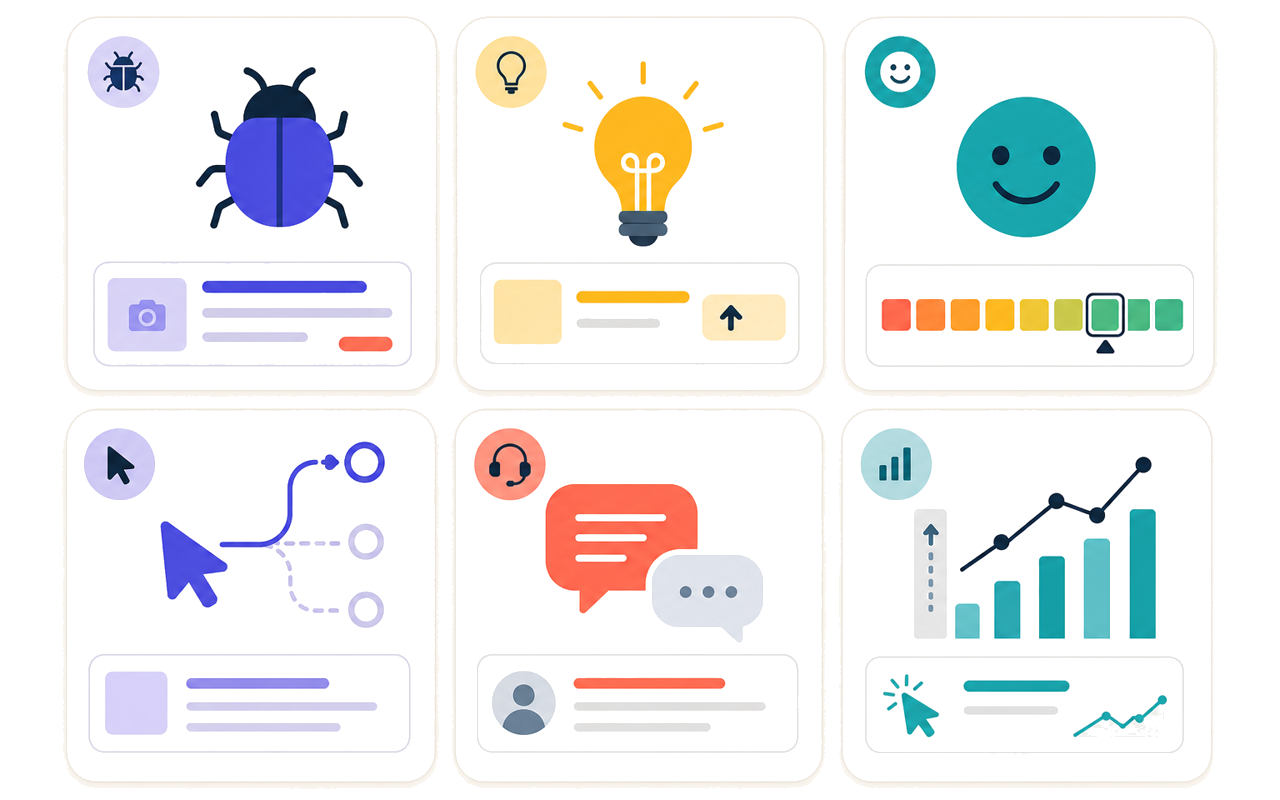
| Type | What it captures | Best for |
|---|---|---|
| Bug reports | Technical issues: broken features, errors, and unexpected behavior | Development teams, QA, and staging reviews |
| Feature requests | What users wish existed or worked differently | Product roadmap planning |
| NPS, CSAT, CES | Quantitative sentiment at specific moments | Tracking satisfaction trends over time |
| Usability feedback | Where users get confused, lost, or stuck | UX improvements and onboarding optimization |
| Support tickets | Recurring friction, product gaps, and user confusion patterns | Product and support teams |
| Open-ended feedback | Unstructured thoughts in users’ own words | Discovering problems you did not know to ask about |
| Behavioral data | Where users click, scroll, and drop off | Validating stated feedback with actual behavior |
The most complete picture of user experience comes from combining quantitative signals, including scores and behavioral data, with qualitative ones, such as open-ended feedback, bug reports, and support tickets. Understanding the different types of user feedback helps you choose the right collection method for each.
How do you collect user feedback from websites?
Website feedback has a specific challenge: visitors do not stay long, and asking them to fill in a form mid-session is a significant interruption. The most effective website feedback collection is passive: available when users want it and invisible when they do not.
Persistent feedback button
A feedback button on every page lets visitors report issues whenever they encounter something worth flagging. It is user-initiated, so it does not interrupt users or depend on precise timing.
The critical difference between a useful website feedback button and a useless one is automatic context capture. A button that produces “the blue button does not work” in your inbox is marginally useful. A button that captures an annotated screenshot with browser version, OS, screen resolution, page URL, and JavaScript console logs produces a report a developer can act on immediately.
Ybug works this way. Install the visual feedback tool with a JavaScript snippet, and every submission automatically captures the full technical context alongside the user’s screenshot annotation. Reports route directly to Jira, Trello, Asana, or your preferred tool through integrations. You get customer feedback that is immediately actionable rather than feedback that requires three follow-up questions.
Exit intent and page-specific prompts
Triggered prompts, appearing when a user is about to leave or after they have been on a page for a defined period, can surface feedback that passive buttons miss. Use these sparingly: one prompt per session maximum, and only on pages where understanding drop-off genuinely matters, such as a pricing page, checkout, or key landing page.
Post-interaction surveys
A short user feedback survey with one or two questions, triggered after a user completes a key action such as submitting a form, completing checkout, or using a feature, captures feedback while the experience is fresh. “How easy was that?” with a 1–5 scale and an optional comment field is enough. Be careful with frequency: research on survey fatigue shows that excessive survey requests decrease both response quality and response rates over time. One prompt per user per major event is a good ceiling.
How do you collect user feedback for SaaS products?
User feedback for SaaS requires a more structured approach than website feedback because the feedback types are more varied and the users are more invested. The key principle is to trigger feedback at behavioral moments, not on a generic calendar. A user who just completed onboarding, used a new feature, or showed a churn signal is far more likely to give useful input than a user who receives a random email. For a deeper look at in-app feedback collection specifically, see our dedicated guide.
NPS (Net Promoter Score)
A single-question survey asks, “How likely are you to recommend this product to a friend or colleague?” on a 0–10 scale. Send it after users have had enough time to form an opinion, typically 30–90 days after signup depending on product complexity and time to value. The follow-up open-text field, “Tell us why,” often contains the most valuable input. NPS is useful for tracking satisfaction trends over time, not for diagnosing specific product problems.
CSAT and CES
A short rating prompt, typically 1–5 stars, is shown after a specific interaction such as resolving a support ticket, using a new feature, or completing onboarding. CSAT measures satisfaction with a specific moment. CES, or Customer Effort Score, measures how easy it was to complete a task and is particularly useful for identifying friction in onboarding and checkout flows.
Feature request collection
Use an embedded feedback form or dedicated portal where users can suggest improvements. The most useful channels let users vote on existing requests, so you see not just what one person asked for, but how many people need the same thing. This is the foundation of effective user feedback management: a system that turns scattered input into a prioritized roadmap.
In-app bug reporting
For SaaS teams, enabling users to report bugs directly from within the product, with automatic capture of session context, dramatically improves report quality. Most users do not know what browser they are using. Asking them creates friction. A feedback tool for testers and project managers that removes this friction produces better data at higher volume.
Churn surveys
A churn survey triggered at the moment of cancellation is your last opportunity to learn why someone is leaving. Keep it short, with one question, a dropdown of common reasons, and an open-text field, and make it optional. The patterns you find here often reveal systemic issues that satisfaction surveys miss entirely.
The best feedback systems are the ones users do not notice as systems. They feel natural, like a feedback button that is just there when you need it or a prompt that appears at exactly the right moment. That seamlessness is the difference between feedback that is representative of your users and feedback from the vocal minority.
What feedback collection tools should you use?
Different feedback collection tools serve different needs. Here is a practical map of customer feedback solutions by category:
| Feedback type | Tool category | Example use case |
|---|---|---|
| Bug reports (web/staging) | Visual feedback widget | Install Ybug on staging; clients report bugs with context |
| NPS and CSAT surveys | In-app survey tool | Trigger NPS after 30 days of product use |
| Feature request voting | Feedback portal | Let users suggest and upvote improvements |
| Usability testing | Session recording | Identify where users drop off in a flow |
| Support analysis | CRM or helpdesk | Tag recurring issues for product team review |
| Churn feedback | Cancellation flow survey | Capture the reason for leaving at the point of exit |
For a comprehensive comparison of tools in the visual feedback category, see our guide to the best website feedback tools.
Collect visual feedback with annotated screenshots and technical context already attached to every report.
(no credit card needed)
How do you analyze user feedback and build feedback analytics?
Collecting feedback without analyzing it creates noise. Here is a practical approach to user feedback analysis:
Categorize by type and area. Sort incoming feedback into buckets: bugs, UX issues, feature requests, and positive signals. Within each bucket, tag by product area, page, or feature. Five separate reports about the onboarding flow become one high-priority finding rather than five isolated notes.
Weight by frequency and impact. A feature requested by 20 users matters more than one requested by a single user. A bug that blocks checkout matters more than a typo on an FAQ page. Build a simple priority matrix: frequency multiplied by impact.
Cross-reference with behavioral data. Stated feedback, such as “the checkout is confusing,” should be validated against behavioral data, such as session recordings and heatmaps showing where users actually drop off. Eleken’s guide to customer feedback loops recommends centralizing feedback from all channels before analysis so you can see patterns across sources, not just within one channel.
Watch for confirmation bias. When designing surveys, avoid leading questions that steer users toward the answer you want. “Did you find our new feature helpful?” assumes helpfulness. “How would you describe your experience with the new feature?” is neutral. Unbiased questions produce better data.
Distinguish signal from noise. Not every piece of feedback deserves a ticket. Some reflects edge cases, misunderstandings, or use patterns you are not trying to support. Part of analysis is deciding what not to act on.
Review on a regular cadence. Weekly feedback reviews help teams catch critical issues before they compound. Feedback analytics, such as dashboards showing trends by category, volume, and sentiment, make this cadence easier to maintain.
When should you act on user feedback, and when should you ignore it?
Collecting feedback is only half the challenge. The harder question is how to decide what deserves action and what does not.
A practical framework:
| Signal strength | What it means | What to do |
|---|---|---|
| 1 report | One user experienced this. It could be an edge case or the tip of an iceberg. | Investigate. Check whether it is reproducible. Do not assign a developer yet. |
| 5 reports | Multiple users have the same problem. It is probably real. | Validate. Check behavioral data. Interview one or two affected users if possible. |
| 20+ reports | This is a pattern affecting a meaningful segment of users. | Prioritize. Put it on the roadmap, estimate the impact, and schedule a fix. |
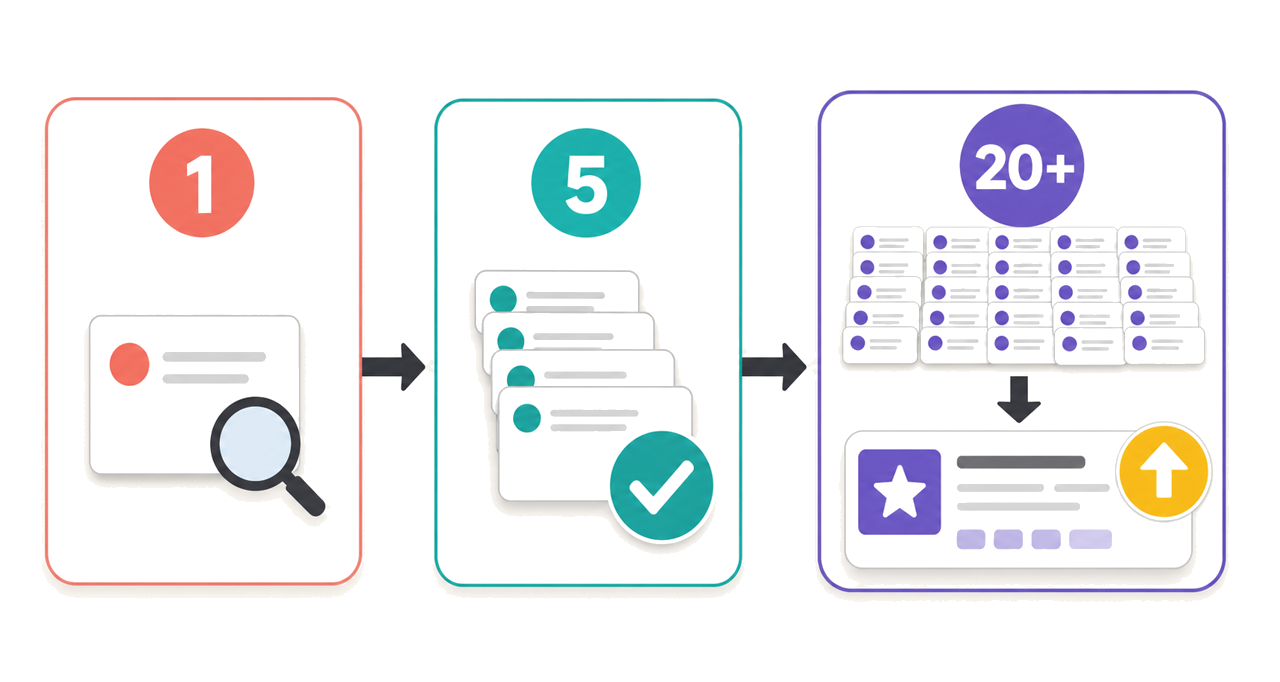
These thresholds are directional, not absolute. A single report about a broken payment flow is more urgent than 20 requests for a nice-to-have feature. Always weight frequency against impact.
A bug tracking saas tool helps here. It separates reproducible defects from opinions before either one reaches the backlog.
Feedback you should usually ignore:
Vocal minority demands that conflict with your product direction. One power user insisting on a feature that serves only their workflow, while no one else has asked for it, is not a roadmap item. It is a conversation.
Feature request overload that would fragment the product. Every SaaS team has a backlog of feature requests that, if built, would turn a focused product into a bloated one. The discipline to say no is as important as the willingness to listen.
Conflicting feedback with no clear majority. When half of users want a feature simpler and the other half want it more powerful, the answer is usually neither. It is a design problem, not a feature gap.
Feedback driven by temporary frustration. A user who hits a bug during a stressful deadline may describe the entire product as unusable. Their bug report is valuable. Their overall sentiment at that moment is not representative.
How do you close the feedback loop with users?
Closing the loop, letting users know their feedback resulted in action, is one of the highest-leverage steps in any feedback program and one of the most commonly skipped.
When a reported bug is fixed, notify the user who reported it. When a requested feature ships, tell the users who asked for it. Even a simple email, such as “You reported this issue in March, and we have fixed it in the latest release,” demonstrates that feedback results in change and encourages future feedback.
For startups in early product development phases, this is especially important. Early users who receive a direct response become the most invested advocates. The cost of closing the loop is small, while the relationship value is disproportionately large.
Give users an easy way to report issues, then route every report into the tools your team already uses.
(no credit card needed)


