In-app feedback: how to collect it and what to do with it

What’s in this article
- Key takeaways
- What is in-app feedback?
- How does in-app feedback compare to other feedback methods?
- What are the main types of in-app feedback?
- When should you ask for in-app feedback?
- How to set up in-app feedback tools
- What should you do with in-app feedback once you have it?
- In-app feedback best practices
- FAQ
In-app feedback is a mechanism that lets users submit reports, suggestions, or ratings without leaving your product, and its main advantage is capturing context at the exact moment the user experiences it.
That “in context” part is what makes it valuable. Feedback collected in the moment, on the exact screen where something broke or confused the user, is more accurate, more specific, and more actionable than feedback gathered through email or external surveys after the session has ended.
Key takeaways
- In-app feedback captures user input directly inside your product, making it more accurate and actionable than email surveys or external forms.
- The most effective setups combine a persistent feedback widget, always available, with triggered prompts at key moments.
- For bug reports, tools like Ybug automatically capture browser, OS, and URL context, so users do not need to write a technical description.
- Timing matters: ask after a meaningful action or milestone, never mid-flow or immediately after signup.
- Feedback without a triage process is wasted. Route it, tag it, and close the loop with reporters.
What is in-app feedback?
In-app feedback is a system that lets users submit feedback, bug reports, feature requests, or general comments directly within your product interface without navigating to a separate form, opening an email client, or leaving the current session.
It covers a wide range of collection methods: persistent feedback buttons, triggered micro-surveys, bug report widgets, rating prompts, and feature request forms. What they all share is the same principle: the user is in your product when they respond, and the feedback reflects their current experience, not a memory of it.
For development teams and product managers, in-app feedback serves a specific purpose: it closes the gap between what users are experiencing and what the team knows about. Without it, the team hears from the vocal minority, the users who bother to email, post publicly, or hunt down a contact form. With it, the feedback comes from the users who are actually in the product, experiencing things in real time.
How does in-app feedback compare to other feedback methods?
| Method | Timing | Context | Response rate | Technical detail |
|---|---|---|---|---|
| In-app feedback widget | Real-time, during use | High, tied to exact screen and action | High, requires minimal effort | Automatic browser, OS, URL, and console context |
| Email survey | After session, often delayed | Low, relies on memory | Low, extra steps to respond | None unless entered manually |
| External survey link | Sent separately, at any time | Low | Low, requires leaving the product | None |
| In-app micro-survey | Triggered at key moments | Medium, tied to a moment, not a specific screen | High, fast to complete | None |
| Support ticket | Reactive, user is already frustrated | Medium | Variable | Depends on how the ticket was filed |
The strongest in-app feedback setups combine a persistent feedback widget, which is always available and user-initiated, with triggered prompts at key moments such as feature launches, onboarding completion, or completed interactions. Each method captures different signals from different user states.
What are the main types of in-app feedback?
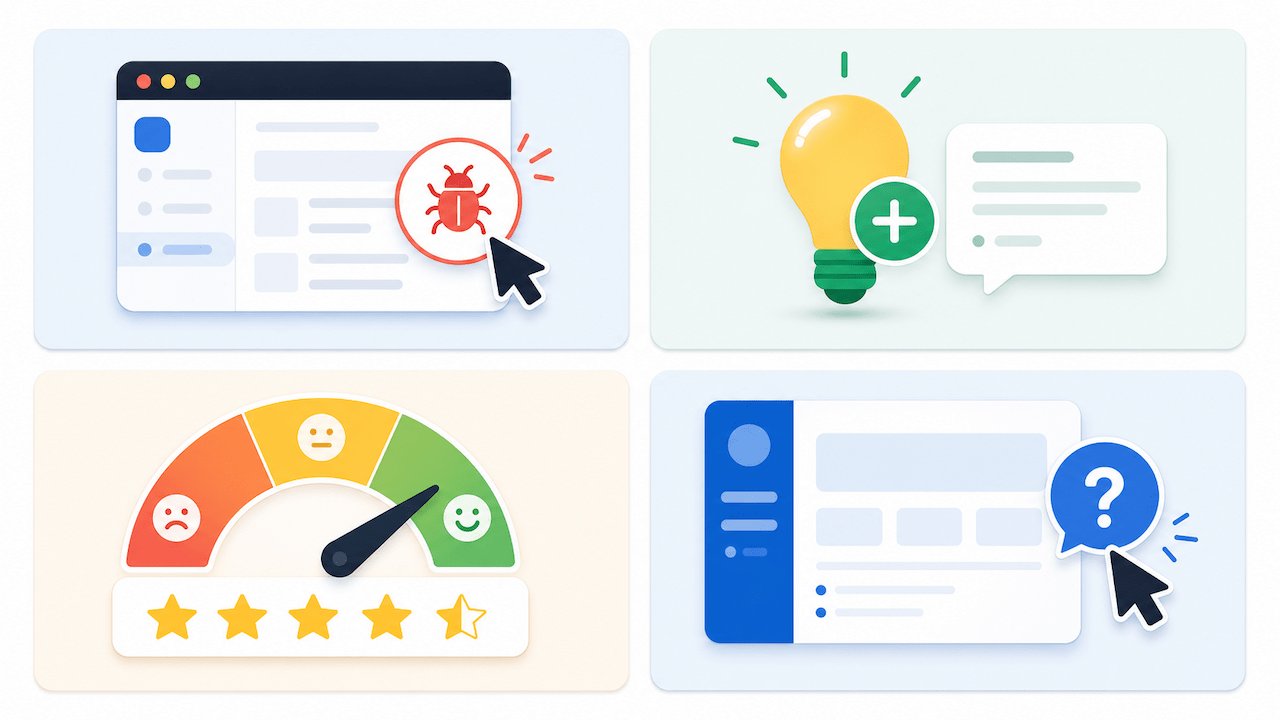
Bug and issue reporting
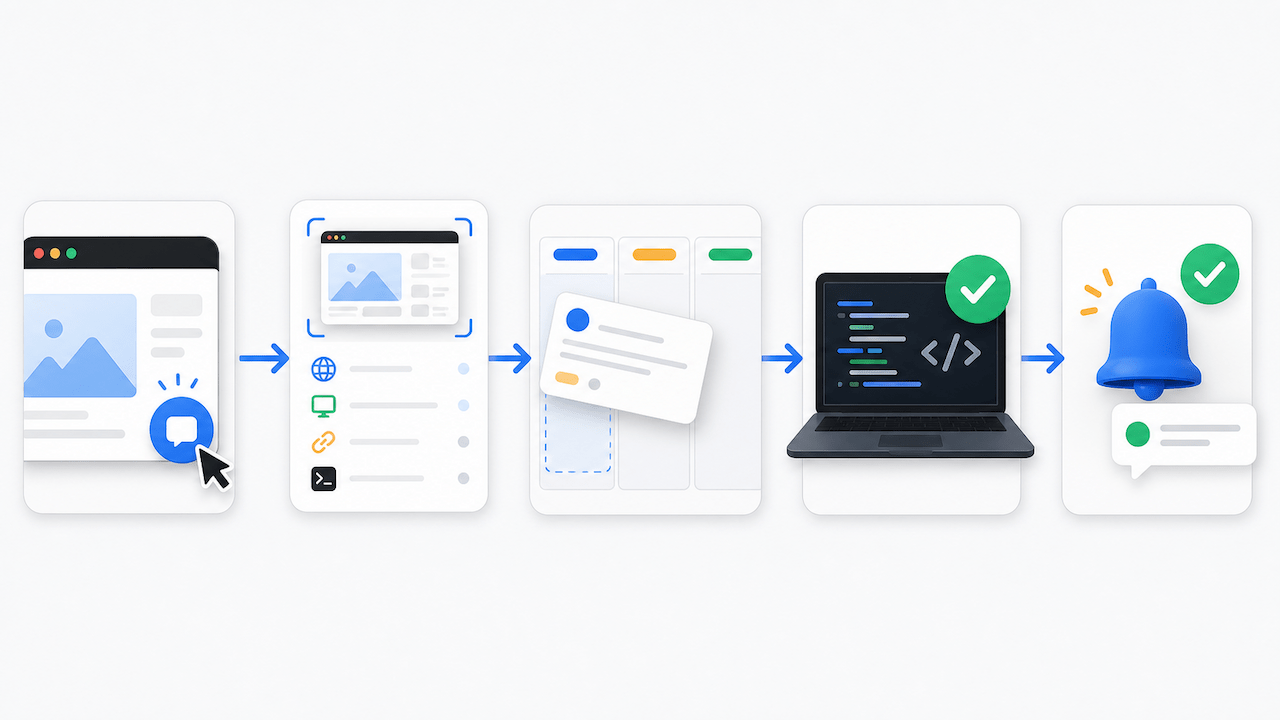
A feedback button, or visual feedback widget, installed in your app lets users report bugs, broken features, or unexpected behavior immediately when they encounter it. The best implementations capture the technical context automatically: browser version, OS, screen resolution, current URL, and JavaScript console errors.
This type of in-app feedback is the most valuable for development teams because it produces actionable, reproducible reports without requiring the user to know or describe any technical details. The reporter describes what they saw; the tool captures everything the developer needs to fix it. Tools like Ybug are purpose-built for this, combining a lightweight feedback widget with bug reporting that routes directly to your existing project management workflow.
Feature requests and ideas
Open-ended feedback prompts such as “What would make this better?” or “Is there anything missing?” surface ideas your team had not considered. These are typically collected via a persistent feedback button or a dedicated feedback portal within the product.
For SaaS startups running early iterations, this type of feedback is particularly useful because it reveals what users wish existed before you have invested heavily in the wrong direction.
Satisfaction ratings
NPS, CSAT, and CES surveys are short numerical surveys triggered at specific moments in the user journey: after completing onboarding, after resolving a support issue, or after using a new feature for the first time. These give you quantitative signals on satisfaction and effort, and the follow-up open-text field often contains the most useful qualitative context.
Usability and confusion signals
Some teams add lightweight prompts at moments where users frequently abandon a flow or fail to complete a task: “Did you find what you were looking for?” or “Was anything unclear on this step?” These signals identify friction points that behavioral analytics, heatmaps, and session recordings can confirm.
When should you ask for in-app feedback?
Timing is one of the most important variables in in-app feedback. Prompt at the right moment, and you get honest, specific responses. Prompt at the wrong moment, and you interrupt the user, erode trust, and collect noise.
Good moments to prompt for feedback
- After a user successfully completes a key action for the first time.
- After a user reaches a milestone such as onboarding completion, first export, or first share.
- After a user has had enough time to experience a new feature, typically a few sessions rather than the first one.
- After a support interaction is resolved.
- When a user is about to leave, but only for persistent or passive widgets.
Bad moments to prompt for feedback
- In the middle of a core workflow such as checkout, form submission, or data export.
- Immediately after signup, before the user has experienced anything.
- Repeatedly, without acting on previous responses. Users stop engaging fast.
- As a blocking modal that prevents the user from continuing until they respond.
The general principle: ask when the user has an experience to reflect on, not before. A user who has just seen a feature for the first time does not know whether it works for them yet.
The most useful in-app feedback does not come from asking users what they think. It comes from making it effortless to tell you what went wrong or what is missing, at the exact moment they notice it. That is when the context is perfect and the motivation is highest.
How to set up in-app feedback tools
Step 1: Define what you need to learn
Before choosing a tool or building a widget, decide what you are trying to capture:
- Bug reports and technical issues: use a visual feedback widget with automatic context capture.
- User satisfaction: use an NPS or CSAT micro-survey.
- Feature ideas: use an open-ended input form or feature request portal.
- Usability friction: use contextual prompts triggered at specific screens or actions.
Different goals call for different mechanisms. Most mature products use a combination.
Step 2: Choose your collection method
Persistent feedback button: Always visible, user-initiated, and best for bug reports and general feedback. Ybug’s widget fits this model. It is installed with a JavaScript snippet, visible on every page, and submits annotated screenshots with automatic technical context to your project management tool via integrations. You can start free with no credit card required.
Triggered micro-survey: Displayed automatically based on user behavior, such as completing onboarding or reaching a certain number of sessions. This is best for NPS, CSAT, and usability prompts. Tools like Refiner, Pendo, or Userpilot specialize in this.
Embedded feedback form: A form built into a specific page or feature area. This works well for feature-specific feedback where you want structured, predictable input.
Step 3: Install and configure
For a visual feedback widget, installation is typically a single JavaScript snippet in your app’s footer or head. Most in-app feedback tools offer:
- Control over which pages or sections show the widget.
- User identification, such as pre-filling reporter name and email from your auth system.
- Custom form fields depending on the feedback type.
- Routing rules that send different feedback types to different destinations.
Step 4: Connect to your workflow
In-app feedback that lands in a separate inbox nobody checks is wasted. Connect your feedback tool to where your team already works:
- Bug reports go to Jira, Linear, GitHub Issues, or Trello.
- Feature requests go to your product roadmap tool or backlog.
- NPS and CSAT scores go to your CRM or analytics platform.
- Support escalations go to your helpdesk, such as Zendesk, Intercom, or Freshdesk.
The less manual copying and reformatting required between “user submitted feedback” and “team sees it in the right context,” the better.
What should you do with in-app feedback once you have it?
Collecting feedback is the easy part. The harder part is turning it into decisions. Here is a practical framework:
Triage regularly. Designate someone to review incoming feedback on a defined cadence, daily for bug reports in active development and weekly for feature requests. Feedback left unreviewed for weeks becomes demoralizing for the team and signals to users that reporting is not worth it.
Categorize and tag. Group similar reports together. If five users report confusion on the same step of onboarding, that is a pattern worth addressing even if each individual report seemed minor. Tagging by screen, feature, or issue type makes patterns visible.
Distinguish between bugs and feature requests. A bug is something that does not work as intended. A feature request is something that works but could be better. Both matter, but they go into different workflows. Mixing them creates backlog confusion.
Close the loop with reporters. When a bug is fixed or a requested feature ships, let the users who reported it know. This is one of the highest-leverage actions for user loyalty because it demonstrates that feedback actually results in change. Even a simple in-app notification, such as “You reported this, and we have fixed it,” goes a long way.
Feed insights back to planning. In-app feedback is a direct channel to your users’ unmet needs. Patterns in feedback should inform roadmap prioritization, not just fix queues. The customer feedback coming through your widget is data, so treat it as such.
Teams using Ybug get all of this out of the box: bug reports routed directly to Jira, Linear, or Trello, with full technical context captured automatically.
(no credit card needed)
In-app feedback best practices
Keep the widget accessible but not intrusive. A persistent button in the corner is always available without interrupting anything. Avoid auto-opening feedback panels or overlays that trigger without user action.
Do not over-survey. If a user has already submitted feedback twice this week, suppress the triggered survey. Respecting user attention is part of building trust in your product.
Make it as easy as possible to submit. The fewer steps between “I notice a problem” and “I have reported it,” the more feedback you will receive. A feedback button that requires filling in 12 fields will be ignored. A button that takes one annotation and one sentence will be used.
Capture technical context automatically. For bug and issue reports, never ask users to describe their browser or operating system. A visual feedback tool that captures this in the background produces better reports and removes friction from the reporter’s experience.
Test your own feedback flow. Go through the feedback submission process as a user, on multiple devices and browsers, quarterly. Broken feedback widgets are surprisingly common and go unnoticed for months.
Teams using Ybug report that switching from email-based bug reporting cuts their average time-to-reproduce by half because the context is already there when the ticket arrives.
(no credit card needed)


