E-commerce QA checklist: what to test before a sale

What’s in this article
- Key takeaways
- What does this e-commerce QA checklist cover?
- How is e-commerce QA different from a general website testing checklist?
- Why do checkout bugs slip through testing?
- What should you test in checkout and payments before a sale?
- How do you test mobile and cross-browser checkout?
- Is your site ready for a traffic spike?
- How do you verify inventory and pricing accuracy?
- How do you collect issues during a pre-sale test cycle?
- What should you review after a sale ends?
- FAQ
An e-commerce QA checklist is a structured set of pre-sale tests covering checkout, payments, mobile, inventory, and performance, and its main advantage is catching revenue-impacting bugs before they reach customers during peak traffic.
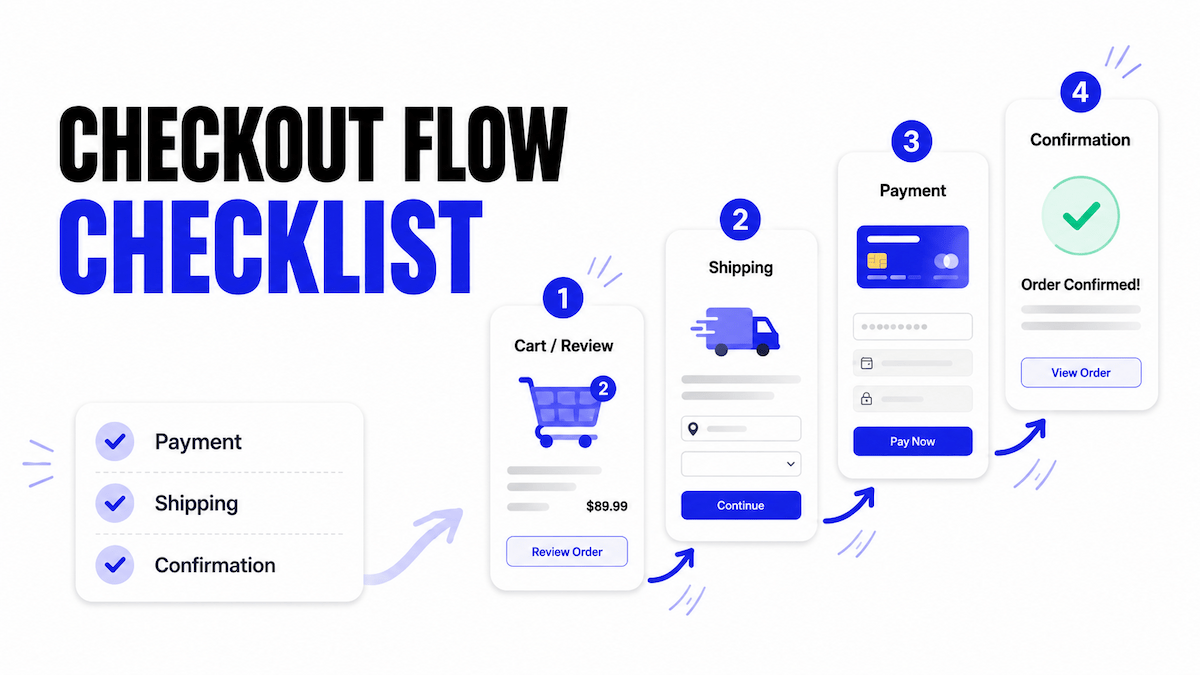
Key takeaways
- Test the complete checkout flow with real sandbox transactions, not just visual checks.
- Prioritize mobile devices and major browsers, where most revenue-impacting bugs surface first.
- Verify pricing, inventory, and promotions before every sale to avoid costly errors.
- Load test your infrastructure so the site holds up under peak traffic.
- Document bugs with full technical context and update your checklist after every sale.
What does this e-commerce QA checklist cover?
This checklist covers what to test before a sale event, product launch, or major site update, from checkout and payments to mobile performance and inventory accuracy. Whether your team works from a project management tool or a quality control checklist template Excel, the goal is the same: verify every revenue-critical workflow before customers arrive.
Download the e-commerce QA checklist: get the Excel template (.xlsx) covering every check in this guide, with priority tags and a bug-tracking column.
Don’t leave QA to the final week. For a major sale like Black Friday, teams that ship clean typically start their test cycle 6–8 weeks out, because payment integrations, load testing, and device coverage all need lead time to fix issues once they surface.
How is e-commerce QA different from a general website testing checklist?
General website testing checklists cover forms, links, and page rendering. E-commerce QA goes further because a missed bug costs direct, measurable revenue, not just a bad experience.
Three things make it different. Transactional risk: a broken checkout loses a confirmed sale, not just a lead, and checkout friction is a leading cause behind the roughly 70% average cart abandonment rate that Baymard Institute tracks across the industry. Traffic volatility: sale events concentrate huge traffic into short windows, and bugs that never show up under normal load appear in front of your biggest audience of the year. Data accuracy: stock, prices, and promotions change constantly, so QA has to confirm the data is correct at the moment of testing, not just that pages load.
| Test area | General website QA | E-commerce QA |
|---|---|---|
| Cost of a bug | Bad UX, lost lead | Lost confirmed purchase, direct revenue |
| Checkout / payments | Rarely applicable | Highest priority, tested end-to-end |
| Dynamic data | Mostly static content | Stock, pricing, promos verified live |
| Traffic assumptions | Steady load | Must survive 10× spikes |
| Bug triage | Each bug roughly equal | Triaged by revenue impact |
A typo on an About page and a broken discount code during a 50%-off sale aren’t remotely equal in business impact, even though both are technically bugs. For a broader pre-launch process, see our website launch checklist; this guide focuses on what e-commerce adds on top of that baseline. While a website design checklist focuses on layout and usability, e-commerce QA extends into transactional flows, pricing, and payment reliability.
Why do checkout bugs slip through testing?
The costliest e-commerce bugs share a pattern: they don’t crash the site, and they only show up under specific conditions, so they slip past a casual QA pass.
They’re often browser or device specific: a discount code that fails only on iOS Safari looks fine on a tester’s laptop. They frequently don’t throw a visible error: a promo code that silently doesn’t apply, or a shipping cost that’s a few cents off, won’t flag itself. And the data can drift overnight: a stock sync issue or missing product image means a page that passed QA last week fails at sale time.
Test on the device and browser mix your customers actually use, push real transactions instead of eyeballing pages, and re-verify dynamic data close to go-live.
What should you test in checkout and payments before a sale?
This is the highest-priority section. Test every payment-related flow end-to-end, multiple times, across multiple scenarios:
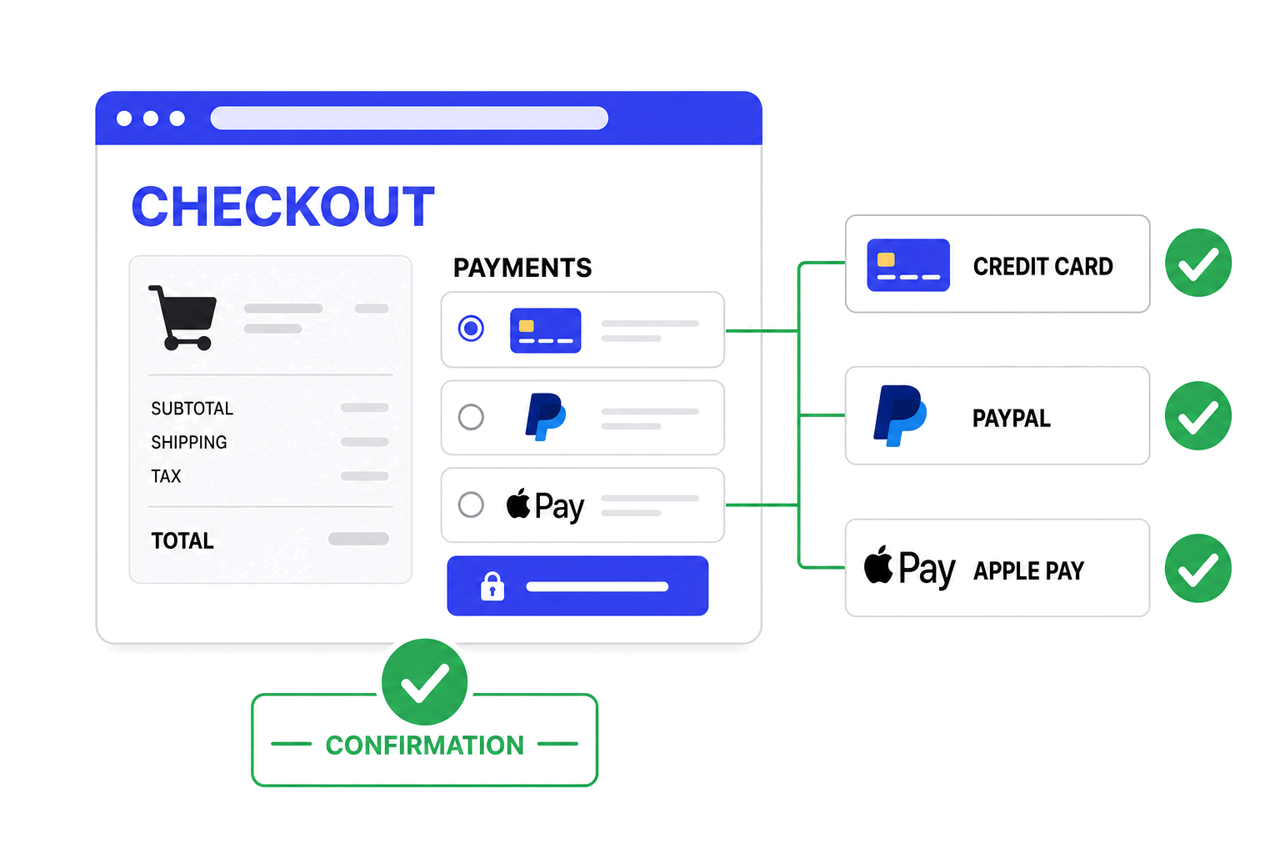
- Add to cart: works for every product type (simple, variant, bundle, digital)
- Cart updates correctly: quantity changes, item removal, and subtotal recalculation
- Discount and promo codes: apply correctly and don’t stack incorrectly
- Guest checkout: works end-to-end without requiring account creation
- Account checkout: works end-to-end for returning customers
- All payment methods: tested with sandbox credentials (credit card, PayPal, Apple Pay, Buy Now Pay Later)
- Tax calculation: accurate for relevant regions
- Shipping cost: accurate for relevant zones and weight tiers
- Order confirmation page: loads and displays correct order details
- Order confirmation email: sends and contains correct details
- Failed payments: handled gracefully (declined card, expired card, insufficient funds)
- Analytics events fire: purchase events send to GA4 and ad platforms with correct order value and currency
- Abandoned cart recovery: flow triggers correctly (if applicable)
Test with real sandbox transactions, not just visual review. A checkout page can look correct and still fail at the payment gateway level. Stripe’s testing documentation covers how to simulate successful and failed payments without moving real money, which is worth building into your pre-sale routine.
Don’t forget analytics. A single JavaScript error can stop purchase events from firing to GA4 while checkout itself works fine, leaving your marketing team blind on ROAS during the year’s biggest sale. Google’s GA4 ecommerce measurement guide outlines the exact parameters to verify before you go live.
Set up a feedback widget on your staging site so every failed test transaction gets reported with full technical context attached.
Ybug captures annotated screenshots and technical context automatically, so checkout bugs reach developers ready to reproduce.
(no credit card needed)
How do you test mobile and cross-browser checkout?
E-commerce traffic is increasingly mobile-first, and a checkout that works on desktop but breaks on mobile Safari can quietly cost you a large share of transactions. Testers often default to whatever device is on their desk instead of the mix that reflects real customer behavior.
- Full purchase flow: tested on iOS Safari, Android Chrome, and desktop Chrome, Firefox, Safari, and Edge
- Product images: load and zoom correctly on mobile
- Mobile navigation and touch targets: menus, filters, and buttons work on small screens
- Payment forms: don’t break layout when the mobile keyboard opens
- Load speed: acceptable on a throttled mobile connection
- App-to-web handoffs: work correctly if you have a companion app
Pull your device matrix from analytics instead of guessing. Build a primary list covering the browsers and devices that make up roughly 90% of your traffic, and a lighter secondary list for the rest. Browser-based emulators cover most cases, but for a major sale, test on 2–3 real physical devices too. Emulators sometimes miss touch and keyboard issues that only show up on hardware.
Is your site ready for a traffic spike?
A site that performs fine under normal traffic can fail entirely under a 10× spike. Load test at a multiple of your expected peak, not just your average traffic:
- Load testing: performed at expected peak traffic levels (or beyond)
- CDN: configured and caching critical assets
- Database queries: performance reviewed for high-traffic pages (product, category, checkout)
- Auto-scaling: configured if using cloud infrastructure
- Third-party scripts: audited, with anything non-essential removed during peak events
- Third-party failure handling: if an external API fails, checkout must not freeze and the customer can still enter details manually
- Image optimization: confirmed across all product pages
- Monitoring: a status page or alert system is active to catch issues in real time during the sale
How do you verify inventory and pricing accuracy?
Unlike most pages, e-commerce data changes constantly. Confirm it’s correct at the moment of testing, not just that it loads:
- Stock sync: stock levels sync correctly between inventory system and storefront
- Out-of-stock states: display correctly and prevent checkout
- Sale prices: display correctly, including strikethrough of original price where applicable
- Countdown timers and banners: show the correct time and auto-disappear when the promotion ends
- Bundle and multi-buy pricing: calculates correctly
- Currency conversion: accurate for international storefronts
- Product variants: size and color options display correct individual pricing and stock
How do you collect issues during a pre-sale test cycle?
Pre-sale QA usually involves multiple testers working in parallel under time pressure. Without a structured way to report what they find, issues get lost, duplicated, or described too vaguely to act on quickly.
Successful QA website testing isn’t only about finding bugs; it’s about documenting them clearly so developers can reproduce and fix issues before the sale begins. A visual feedback tool installed on the staging site lets every tester click a button, annotate the exact screenshot where something failed, and submit, with browser, OS, and console logs captured automatically. Reports route straight to your project management tool, so the team triaging issues during a pre-sale crunch sees everything in one queue instead of scattered across Slack and email.
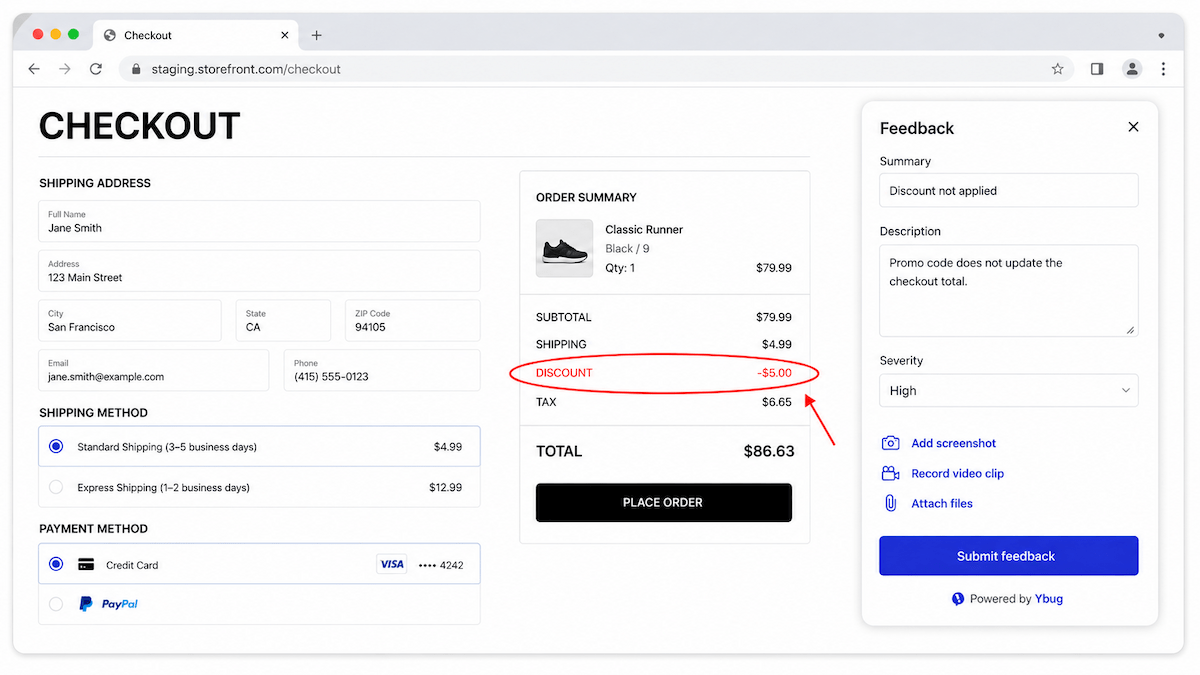
Picture the night before Black Friday. A promo code silently fails on iOS Safari: no error, the discount just doesn’t apply. Instead of a vague Slack message, a tester clicks the feedback button, annotates the broken cart screenshot, and submits. The report lands in the dev queue with the device, browser, and console error already attached. The developer reproduces it on the first try and ships a fix within the hour, before a single customer hits the bug.
The window between finding a bug and a major sale going live is often hours, not days. The teams that handle that pressure well aren’t the ones who find fewer bugs; they’re the ones whose bug reports are complete enough that a developer can fix the issue on the first attempt.
What should you review after a sale ends?
After a major sale ends, a short review prevents the same issues from recurring next time. This step is the one most teams skip under launch fatigue, but it’s the highest-leverage habit for improving the next cycle:
- Review reported bugs: confirm resolution status for each
- Document deferred issues: note any known issues that were deferred and why
- Check actuals vs. projections: compare traffic and conversion rates
- Review performance logs: inspect server and infrastructure logs for any near-failures
- Update the checklist: add anything missed this cycle
- Archive results: save test results and feedback reports for reference before the next event
If bugs took too long to reproduce this cycle, revisit how they were reported. Our guide on how to write a bug report covers the fields that make a report immediately actionable. Keep your quality control checklist template Excel updated after every cycle so it reflects what you actually caught this time.


