Best design feedback tools for creative teams [2026]

What’s in this article
- Key takeaways
- What is a design feedback tool and who needs one?
- Do you need a UI feedback tool for live websites or design proofing software for files?
- What should you look for in design feedback tools?
- Which are the best design feedback tools in 2026?
- How do you choose the right design feedback software for your team?
- What does a design feedback workflow look like in practice?
- FAQ
A design feedback tool is software that lets reviewers comment and annotate directly on a design file, document, or screenshot of a live website. Its main advantage is keeping every comment tied to the visual context it refers to, so nothing gets lost in email threads.
Key takeaways
- Design feedback tools come in two families: proofing tools for static assets such as PDFs, images, and video, and website feedback tools for live pages and web apps. Most tools do one well, not both.
- For live website review, the tool should capture technical context automatically: browser, OS, screen size, page URL, and console errors. A flat screenshot rarely gives a developer enough to reproduce the issue.
- Guest access with no account is a major adoption factor. Every extra step sends client feedback back to email.
- Ybug is the best fit for agencies and web teams reviewing staging and live sites. Ziflow, Filestage, PageProof, and GoVisually are stronger for file-based creative approval.
- Flat-rate plans with generous reviewer access are easier to budget than per-seat pricing when clients and stakeholders join every review round.
What is a design feedback tool and who needs one?
A design feedback tool replaces the usual mix of email replies, Slack screenshots, and marked-up PDFs with one place where reviewers point at the thing they mean. Instead of writing “the button in the second section looks off,” the reviewer marks the relevant area and adds the comment there.
Who needs one? Anyone whose work gets reviewed by someone else: agencies waiting on client sign-off, freelancers juggling revisions across WhatsApp and email, product teams running a design review process with developers and QA, and marketing teams pushing campaign assets through design approval software.
The core problem is simple. Design feedback is visual, and text is a poor way to describe visual problems. Anchoring a comment to its visual context removes the guesswork for the person who has to fix it.
Do you need a UI feedback tool for live websites or design proofing software for files?
This is the first question to answer, and most teams skip it. Design proofing software reviews static assets: PDFs, images, video, and design exports. A UI feedback tool for websites reviews the real thing in the browser: a staging site, landing page, or web app.
| Category | What it reviews | Typical reviewer | Best for |
|---|---|---|---|
| Creative and document proofing | PDFs, images, video, and Adobe files | Marketing, brand, and print teams | Multi-stage approval of campaign assets |
| Website and web app feedback | Live pages, staging sites, and web apps | Clients, PMs, developers, and QA testers | Design QA and bug reports in real browsers |
Practitioners describe this mismatch often. In the Figma community forum, designers report prototype updates throwing off active client reviews and comments no longer aligning after designs change. On live sites, the reverse happens: a proofing tool may capture a flat image without the browser and viewport context that produced the layout bug.
Rule of thumb: if the thing you are reviewing has a URL and a scrollbar, you want a website feedback tool. If it has a file extension, you want proofing software for designers. Many agencies end up with one of each, and that is fine. For the website half, this is what web design feedback looks like on a real page.
If your clients still send screenshots by email with “see attached,” this is exactly the friction Ybug removes.
Collect annotated website feedback with the page, browser, and viewport context your team needs.
(no credit card needed)
What should you look for in design feedback tools?
Feature lists look similar across vendors. These six criteria separate tools that get used from tools that get abandoned after the trial.
Precise visual annotation. Drawing tools and pin-drop comments are the baseline. For live pages, the report should preserve the annotated screenshot together with the page URL and viewport, so the visual reference remains useful at a different screen width.
Automatic technical context. Browser, OS, screen resolution, page URL, and JavaScript errors should attach themselves. Errors written to the browser console API are the first thing a developer asks for, and no client will copy them by hand. Look for built-in console logs capture.
Guest access. Reviewers should be able to leave feedback without creating an account. In our experience, every step between “I noticed something” and “comment submitted” reduces the number of comments you receive.
Version comparison. For file-based proofing, side-by-side version comparison keeps round two honest against round one and helps prevent approved changes from resurfacing.
Integrations where the work happens. Feedback should land in Jira, Trello, Asana, ClickUp, or GitHub as a ticket, not in a separate inbox that gets checked on Fridays. Check the integrations your stack needs before you trial anything.
A pricing model that matches how you review. Per-seat billing can become expensive when clients and stakeholders join every review round. Compare paid user limits with external reviewer access before you buy.
Which are the best design feedback tools in 2026?
We evaluated the tools below on asset type, annotation precision, guest access, integrations, and pricing model. Free-plan and pricing details were checked against the vendors’ own pricing pages in August 2026. Plans change, so verify before you buy.
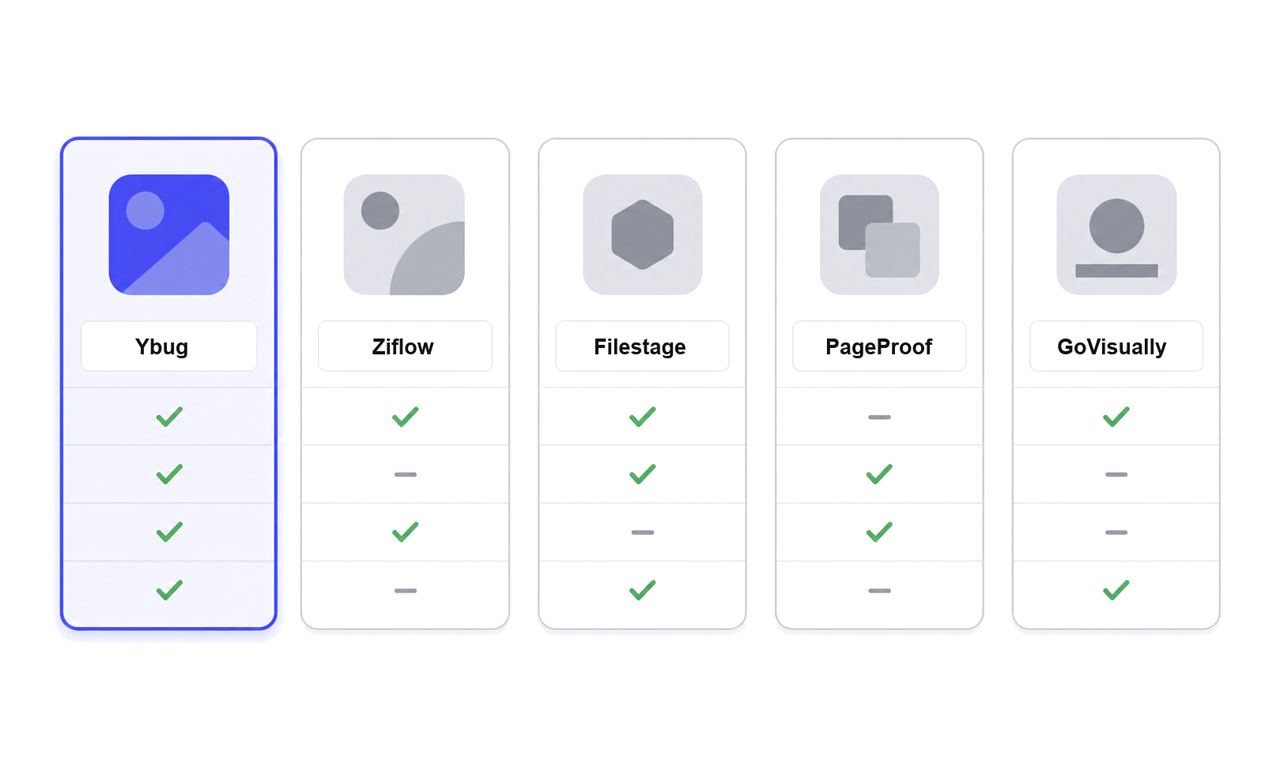
The visual highlights the different trade-offs at a glance; the table below records the plan details behind the comparison.
| Tool | Built for | Live website review | Guest reviewers | Free plan | Pricing model |
|---|---|---|---|---|---|
| Ybug | Live websites and web apps, design QA, and bug reports | Yes, on-page widget | Unlimited reporters, no account required | Yes | Flat monthly plan tiers |
| Ziflow | High-volume creative proofing | Supported, but not the main focus | Unlimited reviewers | Yes | Flat plan tiers with user limits |
| Filestage | Agency and in-house creative approval | Supported, but not the main focus | Unlimited reviewers | Yes | Plan tiers with included team seats |
| PageProof | Design and document proofing | Supported, but not the main focus | Unlimited reviewers | No, free trial only | Flat-rate team plans |
| GoVisually | Design and video proofing | Not the main focus | Up to 15 on Lite; unlimited on Pro | No, free trial only | Per user |
Ybug: best design feedback tool for web agencies and developers
Ybug is a visual feedback tool built for websites and web apps rather than files. Reviewers click the feedback button on a staging or live page, mark up a screenshot, and submit. Ybug attaches the browser, OS, screen size, page URL, and console logs automatically, and the report can land in your project tool as a ticket.
Its main limitation is the flip side of that strength: it does not proof print PDFs or video files. Teams that need both usually pair it with one of the proofing tools below.
As a feedback tool for agencies delivering web projects, or a feedback tool for freelancers collecting client revisions, it closes the gap between “I found something” and “the developer can reproduce it.” The same setup covers staging environment testing before launch.
Ybug has a FREE plan with no credit card required; the BASIC, STARTUP, and COMPANY plans scale with your team. Current details are listed on the Ybug pricing page.
Ziflow: best for high-volume creative approval
Ziflow handles a wide range of file types, supports multi-stage approval workflows, and allows unlimited reviewers on every plan. Its official pricing page lists a free tier alongside paid plans. It fits marketing operations teams pushing many assets through compliance-style review.
Filestage: best for agency client reviews of files
Filestage is built around a step-by-step approval process for agencies and in-house marketing teams. Its free and paid plans include unlimited reviewers, so external client reviewers do not consume a team seat. Paid plan pricing also depends on the features and number of collaborating team members you need.
PageProof: best for design and document proofing with a polished reviewer experience
PageProof combines version control with a clean reviewer interface. Its flat-rate team plans include unlimited reviewers, proofs, and storage. It offers a free trial but no free plan, which matters if you only need occasional reviews.
GoVisually: best for small design and video teams
GoVisually focuses on design and video proofing with Adobe-friendly workflows. Its pricing is per user: Lite supports up to 15 external reviewers, while Pro includes unlimited external reviewers and video support. It offers a free trial but no free plan.
How do you choose the right design feedback software for your team?
Start with what you review most. Files mean proofing software. URLs mean a website feedback tool. If you do both, two specialized tools that each do their job are usually cheaper than one platform doing both badly.
Then look at who reviews. Internal teams tolerate workflow setup. Clients do not. If your reviewers are external, guest access and a one-click widget decide whether the tool gets adopted or quietly replaced by email.
The fastest way to lose a client’s feedback is to make them create an account for it. When the review is one click away on the page they already have open, you get comments the same day instead of next week.
Check where feedback goes next. A comment is only useful once it becomes a task. Make sure the tool pushes into the project management or development platform your team already uses.
Run a real review round on the trial. Friction only shows under real conditions: a client on an old tablet, a stakeholder who refuses to log in, or a layout bug that only appears at laptop width.
Design review tools also work best inside a structured critique. Nielsen Norman Group recommends a clear scope, agreed objectives, and conversation rather than commands in its guide to design critique workshops. A good tool makes sure the resulting comments retain the right visual context.
For a deeper look at file-based options, see our guides to the best proofing software and review and approval software for agencies.
What does a design feedback workflow look like in practice?
Take a web agency shipping a staging site for a client’s new service pages. Here is how the review round runs with a website feedback widget installed:
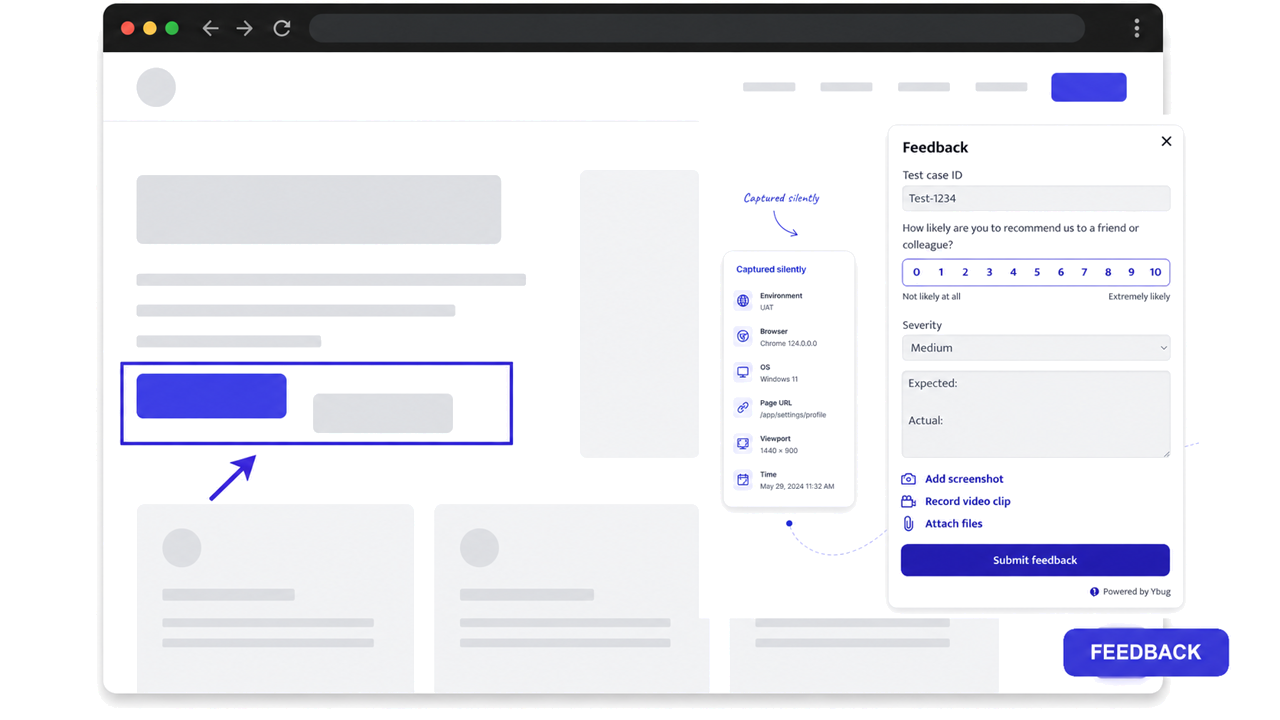
- The PM shares the staging URL. There are no accounts to create and no plugin for the client to install.
- The client’s marketing lead clicks the feedback button, draws a box around the hero headline, and writes “wrong tagline, use the approved one.”
- Each report arrives with browser, OS, screen size, page URL, and available console errors attached.
- The developer gets a Jira ticket with the context needed to reproduce a layout bug that only shows on the client’s laptop.
- The designer sees the annotated screenshot at the exact viewport the client used.
- The QA tester re-checks resolved items on the same page instead of digging through a thread.
Each role gets something different: the PM sees one queue instead of three inboxes, the developer gets reproducible context, and the freelancer gets written sign-off in one place. We have watched agencies remove the “which button do you mean?” round trip from their process once comments are attached to annotated page screenshots. The same widget works for internal design review on any prototype that has a URL.
Turn visual comments into actionable reports without sending clients through another account setup.
(no credit card needed)